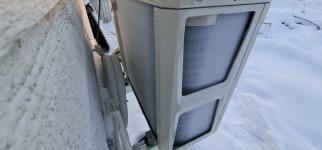
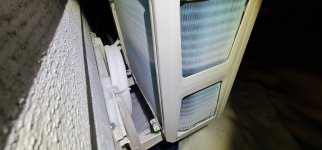
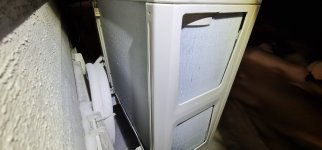
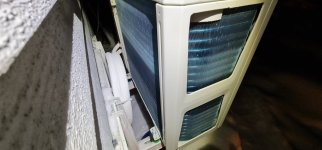
#! /bin/bash
# TODO: improve error-handling. Non-existent now
# 2023-02-21 Harald
#   Moved stuff to functions. Can be called only after declaration in bash
#   added mosquitto_sub to get outside temp and humidity
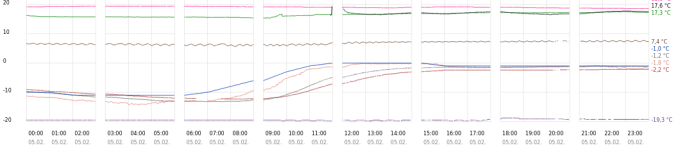
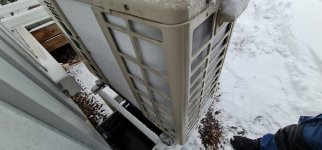
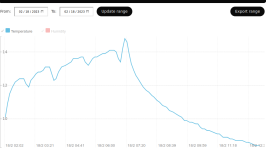
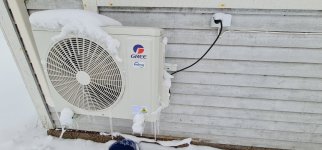
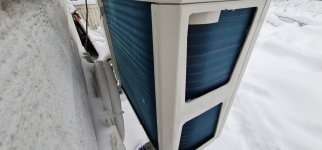
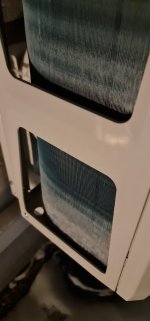
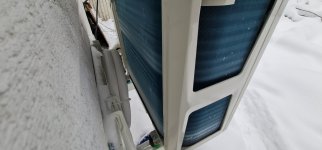
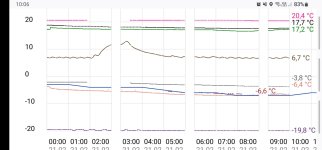
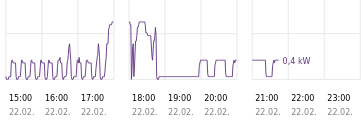
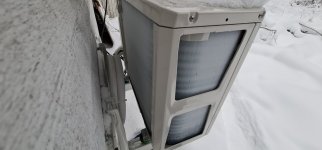
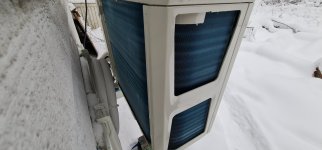
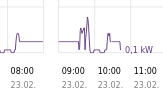
#   only run my own defrosting if humidity > 88% and temp within -5°C and +3°C.
# 2023-02-17 Harald
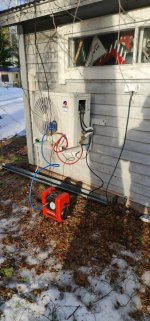
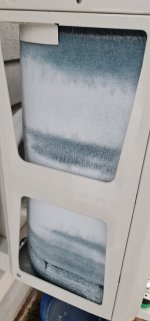
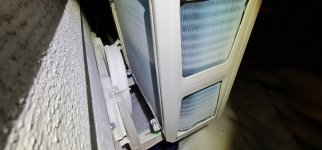
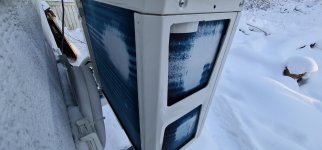
#   forced defrosting of gree v1
#   Used as "ILP OFF" script in fissio. After this we return to heat +8°C "OFF"-state
#   We come into this script from heating in +16°C mode.
#   This script can be called manually as well

export PATH="${PATH}:/home/pi/bin"

### Do some checks for software
# Requires 'jq'. Check for that;
if ! command -v jq &> /dev/null
then
    echo "jq could not be found, install it, exiting"
    exit
fi

# Requires 'bc'. Check for that;
if ! command -v bc &> /dev/null
then
    echo "bc could not be found, install it, exiting"
    exit
fi

# Requires 'bc'. Check for that;
if ! command -v mosquitto_sub &> /dev/null
then
    echo "mosquitto_sub could not be found, install it, exiting"
    exit
fi

########### Set some vars
greeip="<ip-osoite>"
greeopts="-c ${greeip} -i <gree identiteetti> -k <gree-avain>"
#greeopts=""
heattime="15m" # How long do we heat up extra before defrosting? We need energy in the room
heattemp="26" # At what setting should we run extra heating before defrosting?
stdtemp="16" # At what temp do we normally want to run in heating mode, not in keeup mode (+8°C)
defrosttime="10m" # How long do we defrost?
defrost="1" # default to do defrosting
debug="1" # Set to anything for more output
logfile="/home/pi/.fissio/gree-defrost.log"
[ "${debug}" ] && echo "-----$(date)---------" >> "${logfile}"

# Get some enviromental data
[ "${debug}" ] && echo "Getting enviromental data from MQTT" >> "${logfile}"
outside=$(mosquitto_sub |grep -m1 'Fineoffset-WH2.*183') # This might take a minute or two. 183=attic. JSON in return
if [ ! "${outside}" ] ; then
    echo "Could not get environment, defaulting to just keep +8°C"
    defrost="0"
fi
humidity=$(echo "${outside}" | jq -r '.humidity') # an int
humidityhigh="88" # If the humidity is over this value, defrost
temperature=$(echo "${outside}" | jq -r '.temperature_C') # a float, might be negative, use bc
templimitlow="-5" # We don't defrost if the outer temp is below this temperature °C
templimithigh="3" # We don't defrost if the outer temp is over this temperature °C
[ "${debug}" ] && echo "Outside ${temperature}°C ${humidity}%"  >> "${logfile}"

# FIXME so that I run the following only if moisture outside is >90%. FIXED
# Adjusted to 88% for my meter on the attic. Looks like it shows a little less than harabacka
# Where to get the outside moisture reading?

# If it's colder than templimitlow, don't defrost
if (( $(echo "$temperature < $templimitlow"|bc -l) )) ; then
    [ "${debug}" ] && echo "Baby it's cold outside!"  >> "${logfile}"
    defrost="0"
fi

# If it's warmer than templimithigh, don't defrost
if (( $(echo "$temperature > $templimithigh"|bc -l) )) ; then
    [ "${debug}" ] && echo "Baby you're hot enough!"  >> "${logfile}"
    defrost="0"
fi

# If the air isn't moist outside, don't defrost
if (( $(echo "$humidity < $humidityhigh"|bc -l) )) ; then
    [ "${debug}" ] && echo "Baby you're not moist enough!"  >> "${logfile}"
    defrost="0"
fi

[ "${debug}" ] && echo "We concluded that defrost is ${defrost}"  >> "${logfile}"

function keepuptemp(){
    #### Copied here to force non-defrost
    # return to +8°C, fan auto
    gree.py ${greeopts} set Mod=4 1>/dev/null 2>&1 # set heating mode, if we don't it will stay on cooling mode forever even if we StHt=1
    gree.py ${greeopts} set StHt=1 1>/dev/null 2>&1 # set +8°C mode
}
function defrost(){
    ###################################
    # Set heating mode, set temp req to $heattemp°C
    gree.py ${greeopts} set Mod=4 1>/dev/null 2>&1 # set heating mode
    gree.py ${greeopts} set StHt=0 1>/dev/null 2>&1 # exit from heat +8°C mode
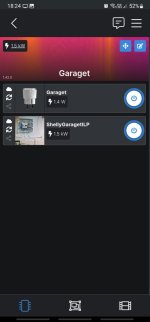
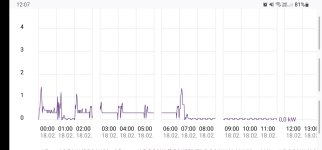
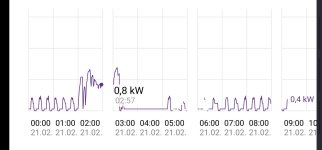
    gree.py ${greeopts} set SetTem="${heattemp}" 1>/dev/null 2>&1 # set temp to $heattemp, this will cause it to run at ~1.4 kW. We need some heat for defrosting.

    # let it warm for 15 minutes, return to +16°C setting that is the default when "ON" that we want
    sleep "${heattime}"
    gree.py ${greeopts} set SetTem="${stdtemp}" 1>/dev/null 2>&1 # set temp to +16°C
    gree.py ${greeopts} set SwingLfRig=5 1>/dev/null 2>&1 # set leftright to left
    gree.py ${greeopts} set SwUpDn=5 1>/dev/null 2>&1 # set updown to a little up, goes to 6, but app ends at 5?
    gree.py ${greeopts} set WdSpd=4 1>/dev/null 2>&1 # set fan speed to 4

    sleep 2m # Let it settle

    # cool for 10 minutes
    gree.py ${greeopts} set Mod=1 1>/dev/null 2>&1 # cooling mode, sadly it only runs in ~200 W of which 95 might be the resistor wire heating the chassis
    gree.py ${greeopts} set WdSpd=1 1>/dev/null 2>&1 # fan speed low 0-5, not sure about this
    gree.py ${greeopts} set SetTem=16 1>/dev/null 2>&1 # ask for 16°C, which is probably the lowest it can go. Test this?

    # let it defrost for 10 minutes, check if this is enough. There's not much energy for more
    sleep "${defrosttime}"

    # return to +8°C, fan auto
    #gree.py ${greeopts} set Mod=4 1>/dev/null 2>&1 # set heating mode, if we don't it will stay on cooling mode forever even if we StHt=1
    #gree.py ${greeopts} set StHt=1 1>/dev/null 2>&1 # set +8°C mod
}

# void main argc argv
if [ "${defrost}" -gt "0" ] ; then
    [ "${debug}" ] && echo "Will defrost"  >> "${logfile}"
    defrost
    keepuptemp
else
    [ "${debug}" ] && echo "Will NOT defrost"  >> "${logfile}"
    keepuptemp
fi

exit # Everything after this is documentation

# The meaning of gree.py arguments
In this object you must define which parameters you are interested in. All of them has a numerical value. The official Gree Smart app uses these fields:

    Pow: power state of the device
        0: off
        1: on

    Mod: mode of operation
        0: auto
        1: cool
        2: dry
        3: fan
        4: heat

    "SetTem" and "TemUn": set temperature and temperature unit
        if TemUn = 0, SetTem is the set temperature in Celsius
        if TemUn = 1, SetTem is the set temperature is Fahrenheit

    WdSpd: fan speed
        0: auto
        1: low
        2: medium-low (not available on 3-speed units)
        3: medium
        4: medium-high (not available on 3-speed units)
        5: high

    Air: controls the state of the fresh air valve (not available on all units)
        0: off
        1: on

    Blo: "Blow" or "X-Fan", this function keeps the fan running for a while after shutting down. Only usable in Dry and Cool mode

    Health: controls Health ("Cold plasma") mode, only for devices equipped with "anion generator", which absorbs dust and kills bacteria
        0: off
        1: on

    SwhSlp: sleep mode, which gradually changes the temperature in Cool, Heat and Dry mode
        0: off
        1: on

    Lig: turns all indicators and the display on the unit on or off
        0: off
        1: on
    SwingLfRig: controls the swing mode of the horizontal air blades (available on limited number of devices, e.g. some Cooper & Hunter units - thanks to mvmn)
        0: default
        1: full swing
        2-6: fixed position from leftmost to rightmost
        Full swing, like for SwUpDn is not supported

    SwUpDn: controls the swing mode of the vertical air blades
        0: default
        1: swing in full range
        2: fixed in the upmost position (1/5)
        3: fixed in the middle-up position (2/5)
        4: fixed in the middle position (3/5)
        5: fixed in the middle-low position (4/5)
        6: fixed in the lowest position (5/5)
        7: swing in the downmost region (5/5)
        8: swing in the middle-low region (4/5)
        9: swing in the middle region (3/5)
        10: swing in the middle-up region (2/5)
        11: swing in the upmost region (1/5)

    Quiet: controls the Quiet mode which slows down the fan to its most quiet speed. Not available in Dry and Fan mode.
        0: off
        1: on

    Tur: sets fan speed to the maximum. Fan speed cannot be changed while active and only available in Dry and Cool mode.
        0: off
        1: on

    StHt: maintain the room temperature steadily at 8°C and prevent the room from freezing by heating operation when nobody is at home for long in severe winter (from http:>

    HeatCoolType: unknown

    TemRec: this bit is used to distinguish between two Fahrenheit values (see Setting the temperature using Fahrenheit section below)

    SvSt: energy saving mode
        0: off
        1: on