HomeAssistant ja sähköpörssiohjaus

Samppa

Ylläpitäjä
Ylläpidon jäsen
Kikkailin kokeeksi vähän tuolla apexchartsin koodilla. Alla olevaan kohtaan kun laittaa jotain 7-18 väliltä, niin hakee "hintapalkkeja" näkyviin. 19 eteenpäin näyttää taas tyhjää. Tuossa menee vähän järjestys sekaisin näköjään, tuo 8,17 hinta on oikeasti vasta klo 14. Sitä en osaa tulkita mistä johtuu... Kai sieltä jostain syystä puuttuu dataa jostain ja ei osaa näyttää mitään siksi.

1695536173148.png


Vakiona koodi on kuten alla ja kuten näkyy, niin oikealla pelkkää tyhjää.
1695536211398.png
 

hemaris

Aktiivinen jäsen
Tämäpä suorastaan jännittävää. Onko kenelläkään haisua, että mikä voisi olla ns. yhdistävä tekijä ongelman alkamiselle? Tai jotain arviota alkamisajankohdasta? Jos porukalla keksittäisiin jokin yhdistävä juttu.

Minulla tämä ongelma toistaa hyvin selvää kavaa. Eli käppyrät ovat aina näkyvissä iltapäivästä alkaen oletettavasti sen jälkeen kun uudet hintatiedot on päivitetty. Ja aina aamulla käyppyrät ovat kadonneet kunnes taas tulevat nykyviin iltapäivällä. Tämä kävisi yksiin sen kanssa käppyrät katoavat vuorokauden vaihtuessa.

Koten aiemmin sanoin niin vastaavaa dataa näyttävä Nordpoolin apex-kuvaajassa nuo tuntihinnat eivät katoa. Siellä toteeutus on tehty eritavalla, eli siinä on erilliset data_generator: -palikat kuluvalle päivälle ja huomiselle.

Edit -lisäsin tähän Nordpoolin koodin.


YAML:
type: custom:apexcharts-card
header:
  show: true
  title: Nordpool 48 hr
  show_states: false
graph_span: 48h
span:
  start: day
series:
  - entity: sensor.nordpool_kwh_fi_eur_3_095_024
    name: Tänään
    unit: Cent
    data_generator: |
      return entity.attributes.raw_today.map((entry) => {
        return [new Date(entry.start), entry.value];
      });
    type: column
    show:
      legend_value: false
      in_header: false
  - entity: sensor.nordpool_kwh_fi_eur_3_095_024
    name: Huomenna
    unit: Cent
    data_generator: |
      return entity.attributes.raw_tomorrow.map((entry) => {
        return [new Date(entry.start), entry.value];
      });
    type: column
    show:
      legend_value: false
      in_header: false
 

tk-

Aktiivinen jäsen
Tässä nyt shf-muotoon muokattuna tuo aiemmin mainittu tapa missä loopataan vain tuo attribuuttijono läpi ja tehdään graafi sen perusteella. Itsellä on aina toiminut tuon kanssa oikein vaikken SHF-pakettia käytäkään. Eli muuten asetukset ennallaan, mutta tämä koodi siihen hintapalkkien data generatoriin.

Jos haluaa hintatiedot näkymään graafiin jollain omalla tariffilla, niin se on helppo tuohon halutessaan lisätä, toki ohjauksiin ei vaikuta.

Koodi:
let res = [];
for (const [key, value] of Object.entries(entity.attributes.data)) {
    let d = new Date(value.DateTime).getTime();
    let p = parseFloat(value.PriceWithTax * 100);
    res.push([d, p]);
}
return res.sort((a, b) => { return a[0] - b[0] });
 

Temez

Aktiivinen jäsen
Tässä nyt shf-muotoon muokattuna tuo aiemmin mainittu tapa missä loopataan vain tuo attribuuttijono läpi ja tehdään graafi sen perusteella. Itsellä on aina toiminut tuon kanssa oikein vaikken SHF-pakettia käytäkään. Eli muuten asetukset ennallaan, mutta tämä koodi siihen hintapalkkien data generatoriin.
Kiitos! Toivottavasti saadaan tällä pelaamaan mahdollimman monella.

Omaa päätäni hiukan vaivaa se, että tällä käsittääkseni pitäisi tulla kyllä vastaavat graafit ulos version spotprices2ha-paketin 0.2.0 version kanssa: https://github.com/T3m3z/spotprices...visualisations/current_electricity_price.yaml

Toisaalta täällä niin moni kertoo ongelmista, että ei tätä voi nyt olankohautuksella ohittaa. Tai siis jotain oikeaa ongelmaa tässä on taustalla, vaikken vielä ymmärrä mitä. Mutta eiköhän se tästä aukene ajan kanssa :)
Jos haluaa hintatiedot näkymään graafiin jollain omalla tariffilla, niin se on helppo tuohon halutessaan lisätä, toki ohjauksiin ei vaikuta.
Toinen vaihtoehto käyttää koodissa "PriceWithTax":n sijaan "TotalPrice":ä, jonka pitäisi palauttaa myös lisämaksut, jos Price1, Price2 ja Price2:seen liittyvät alku- ja loppuajankohdat on määritelty käyttäjän toimesta.

Ongelmista kärsiville: debuggausta varten voisi kokeilla, että ottaisitte ylös Developer Tools -> Template -valikon kautta, että mitä seuraava Template palauttaa silloin, kun vika on päällä ja silloin kun se ei ole päällä (tulosteet ovat Apex chartin imaisemaa dataa, niin jospa siitä irtoaisi jotain):

Python:
{{ state_attr('sensor.shf_electricity_price_now', 'today_avg') }}
{{ states('sensor.shf_electricity_price_now') }}
{{ states('sensor.shf_idx') }}
{{ state_attr('sensor.shf_electricity_price_now', 'all_prices') }}
{{ state_attr('sensor.shf_electricity_price_now', 'data') }}
 

heebo1974

Aktiivinen jäsen
Itsellläni tälläiset apex conffit ja niiden kanssa ei ole ollut mitään ongelmaa edellisellä eikä uudella versiolla.

YAML:
type: custom:apexcharts-card
experimental:
  color_threshold: true
apex_config:
  forceNiceScale: true
  chart:
    height: 165%
header:
  show: true
  title: Pörssisähkön hinta tänään
  show_states: true
  colorize_states: true
all_series_config:
  float_precision: 3
now:
  show: true
  color: cyan
  label: ''
graph_span: 23h
span:
  start: day
series:
  - entity: sensor.shf_electricity_price
    type: column
    curve: stepline
    color: rgb(140, 140, 210)
    name: Tänään
    show:
      in_header: false
      extremas: true
      legend_value: false
    color_threshold:
      - value: 0
        color: '#63FD02'
      - value: 4
        color: '#378D01'
      - value: 8
        color: '#FBFB02'
      - value: 12
        color: '#8D8D01'
      - value: 18
        color: '#FE7303'
      - value: 25
        color: '#8E3F00'
      - value: 30
        color: '#F80300'
      - value: 35
        color: '#8E0100'
      - value: 40
        color: '#9A171A'
      - value: 45
        color: '#7B1315'
    stroke_width: 1
    data_generator: |
      return entity.attributes.data.map((d, index) => {
        return [new Date(d["DateTime"]).getTime(), entity.attributes.data[index]["PriceWithTax"]*100];
      });
    yaxis_id: default
  - entity: sensor.shf_electricity_price
    name: Huomenna
    color: rgb(46,204,113)
    offset: +24h
    type: line
    curve: stepline
    show:
      in_header: false
      in_chart: false
      extremas: false
      legend_value: false
    stroke_width: 2
    data_generator: |
      return entity.attributes.data.map((d, index) => {
        return [new Date(d["DateTime"]).getTime(), entity.attributes.data[index]["PriceWithTax"]*100];
      });
    yaxis_id: default
  - entity: sensor.shf_electricity_price_now
    transform: return x * 100;
    color: cyan
    name: Kuluva tunti
    unit: c/kWh
    group_by:
      duration: 1d
    show:
      in_header: true
      in_chart: false
      legend_value: false
    yaxis_id: labels
  - entity: sensor.shf_electricity_price_now
    attribute: today_min
    transform: return x * 100;
    color: lightgreen
    name: Tänään min.
    unit: c/kWh
    show:
      in_header: true
      in_chart: false
      legend_value: false
    yaxis_id: labels
  - entity: sensor.shf_electricity_price_now
    attribute: today_max
    transform: return x * 100;
    color: red
    name: Tänään maks.
    unit: c/kWh
    show:
      in_header: true
      in_chart: false
      legend_value: false
    yaxis_id: labels
  - entity: sensor.shf_electricity_price_now
    attribute: today_avg
    transform: return x * 100;
    color: gray
    name: Tänään keskim.
    unit: c/kWh
    show:
      in_header: true
      in_chart: false
      legend_value: false
    yaxis_id: labels
yaxis:
  - id: default
    show: true
    min: 0
    max: ~5
    decimals: 2
    align_to: 1
  - id: labels
    show: false

YAML:
type: custom:apexcharts-card
experimental:
  color_threshold: true
apex_config:
  forceNiceScale: true
  chart:
    height: 165%
header:
  show: true
  title: Pörssisähkön hinta huomenna
  show_states: true
  colorize_states: true
all_series_config:
  float_precision: 3
graph_span: 23h
span:
  start: day
  offset: +24h
series:
  - entity: sensor.shf_electricity_price
    type: column
    curve: stepline
    color: rgb(140, 140, 210)
    name: Huomenna
    show:
      in_header: false
      extremas: true
      legend_value: false
    color_threshold:
      - value: 0
        color: '#63FD02'
      - value: 4
        color: '#378D01'
      - value: 8
        color: '#FBFB02'
      - value: 12
        color: '#8D8D01'
      - value: 18
        color: '#FE7303'
      - value: 25
        color: '#8E3F00'
      - value: 30
        color: '#F80300'
      - value: 35
        color: '#8E0100'
      - value: 40
        color: '#9A171A'
      - value: 45
        color: '#7B1315'
    stroke_width: 1
    data_generator: |
      return entity.attributes.data.map((d, index) => {
        return [new Date(d["DateTime"]).getTime(), entity.attributes.data[index]["PriceWithTax"]*100];
      });
    yaxis_id: default
  - entity: sensor.shf_electricity_price_now
    color: lightgreen
    name: Huomenna min.
    unit: c/kWh
    show:
      in_header: true
      in_chart: false
      legend_value: false
    yaxis_id: labels
    data_generator: |
      return [[, entity.attributes.tomorrow_min*100]];
  - entity: sensor.shf_electricity_price_now
    color: red
    name: Huomenna maks.
    unit: c/kWh
    show:
      in_header: true
      in_chart: false
      legend_value: false
    yaxis_id: labels
    data_generator: |
      return [[, entity.attributes.tomorrow_max*100]];
  - entity: sensor.shf_electricity_price_now
    color: gray
    name: Huomenna keskim.
    unit: c/kWh
    float_precision: 2
    show:
      in_header: true
      in_chart: false
      legend_value: false
    yaxis_id: labels
    data_generator: |
      return [[, entity.attributes.tomorrow_avg*100]];
yaxis:
  - id: default
    show: true
    min: 0
    max: ~5
    decimals: 2
    align_to: 1
  - id: labels
    show: false

Ja jos joku ei tykkää tuosta yaxis: max ~5 arvosta, niin ottaa sen vain pois.. :)
 

Gilean

Jäsen
Kiitos @heebo1974 , nuo toimivat minullakin näköjään heittämällä. En vielä osaa sanoa onko kaksi erillistä graafia parempi vai huonompi kuin yksi, mutta ainakin tämän päivän hinnat näkyvät käppyrällä hyvin :) Huomisen osalta toki vielä näyttää tyhjää.

@Temez Eilen illalla nukkumaan mennessä käppyrät näkyivät vielä, tänä aamuna oli taas tyhjää joten taitaa tosiaan hävitä vuorokauden vaihtuessa. Minulla on myös 0.2.0 -versio spot-price.yamlista ja uusin Apex chart js, joten ajattelin kokeilla tuota mainitsemaasi debuggausta developer toolsin kautta. Tällaista tuli nyt aamulla, siellä näyttäisi hinnat kyllä olevan mukana:
0.0001
0.0014
24
[0.0033, 0.0025, 0.0021, 0.0017, 0.0013, 0.0012, 0.0015, 0.0014, 0.0023, 0.0033, 0.0034, 0.0013, 0.0011, 0.0, -0.0032, -0.0025, 0.0, 0.0056, 0.0094, 0.0102, 0.0098, 0.0069, 0.0057, 0.0034, 0.0018, 0.0003, 0.0, -0.001, -0.0018, -0.0021, -0.0008, 0.0, 0.0013, 0.0023, 0.0025, 0.0021, 0.0012, 0.0001, 0.0, 0.0, 0.0, 0.0, 0.0, 0.0, 0.0, 0.0, -0.0009, -0.0021]
[{'Rank': 16, 'DateTime': '2023-09-24T00:00:00+03:00', 'PriceNoTax': 0.0027, 'PriceWithTax': 0.0033}, {'Rank': 14, 'DateTime': '2023-09-24T01:00:00+03:00', 'PriceNoTax': 0.002, 'PriceWithTax': 0.0025}, {'Rank': 12, 'DateTime': '2023-09-24T02:00:00+03:00', 'PriceNoTax': 0.0017, 'PriceWithTax': 0.0021}, {'Rank': 11, 'DateTime': '2023-09-24T03:00:00+03:00', 'PriceNoTax': 0.0014, 'PriceWithTax': 0.0017}, {'Rank': 7, 'DateTime': '2023-09-24T04:00:00+03:00', 'PriceNoTax': 0.001, 'PriceWithTax': 0.0013}, {'Rank': 6, 'DateTime': '2023-09-24T05:00:00+03:00', 'PriceNoTax': 0.0009, 'PriceWithTax': 0.0012}, {'Rank': 10, 'DateTime': '2023-09-24T06:00:00+03:00', 'PriceNoTax': 0.0012, 'PriceWithTax': 0.0015}, {'Rank': 9, 'DateTime': '2023-09-24T07:00:00+03:00', 'PriceNoTax': 0.0011, 'PriceWithTax': 0.0014}, {'Rank': 13, 'DateTime': '2023-09-24T08:00:00+03:00', 'PriceNoTax': 0.0018, 'PriceWithTax': 0.0023}, {'Rank': 15, 'DateTime': '2023-09-24T09:00:00+03:00', 'PriceNoTax': 0.0026, 'PriceWithTax': 0.0033}, {'Rank': 17, 'DateTime': '2023-09-24T10:00:00+03:00', 'PriceNoTax': 0.0028, 'PriceWithTax': 0.0034}, {'Rank': 8, 'DateTime': '2023-09-24T11:00:00+03:00', 'PriceNoTax': 0.0011, 'PriceWithTax': 0.0013}, {'Rank': 5, 'DateTime': '2023-09-24T12:00:00+03:00', 'PriceNoTax': 0.0008, 'PriceWithTax': 0.0011}, {'Rank': 3, 'DateTime': '2023-09-24T13:00:00+03:00', 'PriceNoTax': 0.0, 'PriceWithTax': 0.0}, {'Rank': 1, 'DateTime': '2023-09-24T14:00:00+03:00', 'PriceNoTax': -0.0026, 'PriceWithTax': -0.0032}, {'Rank': 2, 'DateTime': '2023-09-24T15:00:00+03:00', 'PriceNoTax': -0.002, 'PriceWithTax': -0.0025}, {'Rank': 4, 'DateTime': '2023-09-24T16:00:00+03:00', 'PriceNoTax': 0.0, 'PriceWithTax': 0.0}, {'Rank': 19, 'DateTime': '2023-09-24T17:00:00+03:00', 'PriceNoTax': 0.0045, 'PriceWithTax': 0.0056}, {'Rank': 22, 'DateTime': '2023-09-24T18:00:00+03:00', 'PriceNoTax': 0.0076, 'PriceWithTax': 0.0094}, {'Rank': 24, 'DateTime': '2023-09-24T19:00:00+03:00', 'PriceNoTax': 0.0082, 'PriceWithTax': 0.0102}, {'Rank': 23, 'DateTime': '2023-09-24T20:00:00+03:00', 'PriceNoTax': 0.0079, 'PriceWithTax': 0.0098}, {'Rank': 21, 'DateTime': '2023-09-24T21:00:00+03:00', 'PriceNoTax': 0.0055, 'PriceWithTax': 0.0069}, {'Rank': 20, 'DateTime': '2023-09-24T22:00:00+03:00', 'PriceNoTax': 0.0046, 'PriceWithTax': 0.0057}, {'Rank': 18, 'DateTime': '2023-09-24T23:00:00+03:00', 'PriceNoTax': 0.0028, 'PriceWithTax': 0.0034}, {'Rank': 21, 'DateTime': '2023-09-25T00:00:00+03:00', 'PriceNoTax': 0.0015, 'PriceWithTax': 0.0018}, {'Rank': 18, 'DateTime': '2023-09-25T01:00:00+03:00', 'PriceNoTax': 0.0002, 'PriceWithTax': 0.0003}, {'Rank': 7, 'DateTime': '2023-09-25T02:00:00+03:00', 'PriceNoTax': 0.0, 'PriceWithTax': 0.0}, {'Rank': 4, 'DateTime': '2023-09-25T03:00:00+03:00', 'PriceNoTax': -0.0008, 'PriceWithTax': -0.001}, {'Rank': 3, 'DateTime': '2023-09-25T04:00:00+03:00', 'PriceNoTax': -0.0015, 'PriceWithTax': -0.0018}, {'Rank': 1, 'DateTime': '2023-09-25T05:00:00+03:00', 'PriceNoTax': -0.0017, 'PriceWithTax': -0.0021}, {'Rank': 6, 'DateTime': '2023-09-25T06:00:00+03:00', 'PriceNoTax': -0.0006, 'PriceWithTax': -0.0008}, {'Rank': 8, 'DateTime': '2023-09-25T07:00:00+03:00', 'PriceNoTax': 0.0, 'PriceWithTax': 0.0}, {'Rank': 20, 'DateTime': '2023-09-25T08:00:00+03:00', 'PriceNoTax': 0.001, 'PriceWithTax': 0.0013}, {'Rank': 23, 'DateTime': '2023-09-25T09:00:00+03:00', 'PriceNoTax': 0.0019, 'PriceWithTax': 0.0023}, {'Rank': 24, 'DateTime': '2023-09-25T10:00:00+03:00', 'PriceNoTax': 0.002, 'PriceWithTax': 0.0025}, {'Rank': 22, 'DateTime': '2023-09-25T11:00:00+03:00', 'PriceNoTax': 0.0017, 'PriceWithTax': 0.0021}, {'Rank': 19, 'DateTime': '2023-09-25T12:00:00+03:00', 'PriceNoTax': 0.001, 'PriceWithTax': 0.0012}, {'Rank': 17, 'DateTime': '2023-09-25T13:00:00+03:00', 'PriceNoTax': 0.0001, 'PriceWithTax': 0.0001}, {'Rank': 9, 'DateTime': '2023-09-25T14:00:00+03:00', 'PriceNoTax': 0.0, 'PriceWithTax': 0.0}, {'Rank': 10, 'DateTime': '2023-09-25T15:00:00+03:00', 'PriceNoTax': 0.0, 'PriceWithTax': 0.0}, {'Rank': 11, 'DateTime': '2023-09-25T16:00:00+03:00', 'PriceNoTax': 0.0, 'PriceWithTax': 0.0}, {'Rank': 12, 'DateTime': '2023-09-25T17:00:00+03:00', 'PriceNoTax': 0.0, 'PriceWithTax': 0.0}, {'Rank': 13, 'DateTime': '2023-09-25T18:00:00+03:00', 'PriceNoTax': 0.0, 'PriceWithTax': 0.0}, {'Rank': 14, 'DateTime': '2023-09-25T19:00:00+03:00', 'PriceNoTax': 0.0, 'PriceWithTax': 0.0}, {'Rank': 15, 'DateTime': '2023-09-25T20:00:00+03:00', 'PriceNoTax': 0.0, 'PriceWithTax': 0.0}, {'Rank': 16, 'DateTime': '2023-09-25T21:00:00+03:00', 'PriceNoTax': 0.0, 'PriceWithTax': 0.0}, {'Rank': 5, 'DateTime': '2023-09-25T22:00:00+03:00', 'PriceNoTax': -0.0008, 'PriceWithTax': -0.0009}, {'Rank': 2, 'DateTime': '2023-09-25T23:00:00+03:00', 'PriceNoTax': -0.0017, 'PriceWithTax': -0.0021}]
 

hemaris

Aktiivinen jäsen
Ongelmista kärsiville: debuggausta varten voisi kokeilla, että ottaisitte ylös Developer Tools -> Template -valikon kautta, että mitä seuraava Template palauttaa silloin, kun vika on päällä ja silloin kun se ei ole päällä (tulosteet ovat Apex chartin imaisemaa dataa, niin jospa siitä irtoaisi jotain):
Tuossa alla on meikäläisen palaute. Huomio kiinnittyi tuohon yhteen unavailable-riviin nähtävästi siinä ongelmana on sensor.shf_idx


0.0001
0.0013
unavailable
[0.0018, 0.0003, 0.0, -0.001, -0.0018, -0.0021, -0.0008, 0.0, 0.0013, 0.0023, 0.0025, 0.0021, 0.0012, 0.0001, 0.0, 0.0, 0.0, 0.0, 0.0, 0.0, 0.0, 0.0, -0.0009, -0.0021]
[{'Rank': 16, 'DateTime': '2023-09-24T00:00:00+03:00', 'PriceNoTax': 0.0027, 'PriceWithTax': 0.0033, 'Timestamp': 1695502800.0, 'TotalPrice': 0.0033}, {'Rank': 14, 'DateTime': '2023-09-24T01:00:00+03:00', 'PriceNoTax': 0.002, 'PriceWithTax': 0.0025, 'Timestamp': 1695506400.0, 'TotalPrice': 0.0025}, {'Rank': 12, 'DateTime': '2023-09-24T02:00:00+03:00', 'PriceNoTax': 0.0017, 'PriceWithTax': 0.0021, 'Timestamp': 1695510000.0, 'TotalPrice': 0.0021}, {'Rank': 11, 'DateTime': '2023-09-24T03:00:00+03:00', 'PriceNoTax': 0.0014, 'PriceWithTax': 0.0017, 'Timestamp': 1695513600.0, 'TotalPrice': 0.0017}, {'Rank': 7, 'DateTime': '2023-09-24T04:00:00+03:00', 'PriceNoTax': 0.001, 'PriceWithTax': 0.0013, 'Timestamp': 1695517200.0, 'TotalPrice': 0.0013}, {'Rank': 6, 'DateTime': '2023-09-24T05:00:00+03:00', 'PriceNoTax': 0.0009, 'PriceWithTax': 0.0012, 'Timestamp': 1695520800.0, 'TotalPrice': 0.0012}, {'Rank': 10, 'DateTime': '2023-09-24T06:00:00+03:00', 'PriceNoTax': 0.0012, 'PriceWithTax': 0.0015, 'Timestamp': 1695524400.0, 'TotalPrice': 0.0015}, {'Rank': 9, 'DateTime': '2023-09-24T07:00:00+03:00', 'PriceNoTax': 0.0011, 'PriceWithTax': 0.0014, 'Timestamp': 1695528000.0, 'TotalPrice': 0.0014}, {'Rank': 13, 'DateTime': '2023-09-24T08:00:00+03:00', 'PriceNoTax': 0.0018, 'PriceWithTax': 0.0023, 'Timestamp': 1695531600.0, 'TotalPrice': 0.0023}, {'Rank': 15, 'DateTime': '2023-09-24T09:00:00+03:00', 'PriceNoTax': 0.0026, 'PriceWithTax': 0.0033, 'Timestamp': 1695535200.0, 'TotalPrice': 0.0033}, {'Rank': 17, 'DateTime': '2023-09-24T10:00:00+03:00', 'PriceNoTax': 0.0028, 'PriceWithTax': 0.0034, 'Timestamp': 1695538800.0, 'TotalPrice': 0.0034}, {'Rank': 8, 'DateTime': '2023-09-24T11:00:00+03:00', 'PriceNoTax': 0.0011, 'PriceWithTax': 0.0013, 'Timestamp': 1695542400.0, 'TotalPrice': 0.0013}, {'Rank': 5, 'DateTime': '2023-09-24T12:00:00+03:00', 'PriceNoTax': 0.0008, 'PriceWithTax': 0.0011, 'Timestamp': 1695546000.0, 'TotalPrice': 0.0011}, {'Rank': 3, 'DateTime': '2023-09-24T13:00:00+03:00', 'PriceNoTax': 0.0, 'PriceWithTax': 0.0, 'Timestamp': 1695549600.0, 'TotalPrice': 0.0}, {'Rank': 1, 'DateTime': '2023-09-24T14:00:00+03:00', 'PriceNoTax': -0.0026, 'PriceWithTax': -0.0032, 'Timestamp': 1695553200.0, 'TotalPrice': -0.0032}, {'Rank': 2, 'DateTime': '2023-09-24T15:00:00+03:00', 'PriceNoTax': -0.002, 'PriceWithTax': -0.0025, 'Timestamp': 1695556800.0, 'TotalPrice': -0.0025}, {'Rank': 4, 'DateTime': '2023-09-24T16:00:00+03:00', 'PriceNoTax': 0.0, 'PriceWithTax': 0.0, 'Timestamp': 1695560400.0, 'TotalPrice': 0.0}, {'Rank': 19, 'DateTime': '2023-09-24T17:00:00+03:00', 'PriceNoTax': 0.0045, 'PriceWithTax': 0.0056, 'Timestamp': 1695564000.0, 'TotalPrice': 0.0056}, {'Rank': 22, 'DateTime': '2023-09-24T18:00:00+03:00', 'PriceNoTax': 0.0076, 'PriceWithTax': 0.0094, 'Timestamp': 1695567600.0, 'TotalPrice': 0.0094}, {'Rank': 24, 'DateTime': '2023-09-24T19:00:00+03:00', 'PriceNoTax': 0.0082, 'PriceWithTax': 0.0102, 'Timestamp': 1695571200.0, 'TotalPrice': 0.0102}, {'Rank': 23, 'DateTime': '2023-09-24T20:00:00+03:00', 'PriceNoTax': 0.0079, 'PriceWithTax': 0.0098, 'Timestamp': 1695574800.0, 'TotalPrice': 0.0098}, {'Rank': 21, 'DateTime': '2023-09-24T21:00:00+03:00', 'PriceNoTax': 0.0055, 'PriceWithTax': 0.0069, 'Timestamp': 1695578400.0, 'TotalPrice': 0.0069}, {'Rank': 20, 'DateTime': '2023-09-24T22:00:00+03:00', 'PriceNoTax': 0.0046, 'PriceWithTax': 0.0057, 'Timestamp': 1695582000.0, 'TotalPrice': 0.0057}, {'Rank': 18, 'DateTime': '2023-09-24T23:00:00+03:00', 'PriceNoTax': 0.0028, 'PriceWithTax': 0.0034, 'Timestamp': 1695585600.0, 'TotalPrice': 0.0034}, {'Rank': 21, 'DateTime': '2023-09-25T00:00:00+03:00', 'PriceNoTax': 0.0015, 'PriceWithTax': 0.0018, 'Timestamp': 1695589200.0, 'TotalPrice': 0.0018}, {'Rank': 18, 'DateTime': '2023-09-25T01:00:00+03:00', 'PriceNoTax': 0.0002, 'PriceWithTax': 0.0003, 'Timestamp': 1695592800.0, 'TotalPrice': 0.0003}, {'Rank': 7, 'DateTime': '2023-09-25T02:00:00+03:00', 'PriceNoTax': 0.0, 'PriceWithTax': 0.0, 'Timestamp': 1695596400.0, 'TotalPrice': 0.0}, {'Rank': 4, 'DateTime': '2023-09-25T03:00:00+03:00', 'PriceNoTax': -0.0008, 'PriceWithTax': -0.001, 'Timestamp': 1695600000.0, 'TotalPrice': -0.001}, {'Rank': 3, 'DateTime': '2023-09-25T04:00:00+03:00', 'PriceNoTax': -0.0015, 'PriceWithTax': -0.0018, 'Timestamp': 1695603600.0, 'TotalPrice': -0.0018}, {'Rank': 1, 'DateTime': '2023-09-25T05:00:00+03:00', 'PriceNoTax': -0.0017, 'PriceWithTax': -0.0021, 'Timestamp': 1695607200.0, 'TotalPrice': -0.0021}, {'Rank': 6, 'DateTime': '2023-09-25T06:00:00+03:00', 'PriceNoTax': -0.0006, 'PriceWithTax': -0.0008, 'Timestamp': 1695610800.0, 'TotalPrice': -0.0008}, {'Rank': 8, 'DateTime': '2023-09-25T07:00:00+03:00', 'PriceNoTax': 0.0, 'PriceWithTax': 0.0, 'Timestamp': 1695614400.0, 'TotalPrice': 0.0}, {'Rank': 20, 'DateTime': '2023-09-25T08:00:00+03:00', 'PriceNoTax': 0.001, 'PriceWithTax': 0.0013, 'Timestamp': 1695618000.0, 'TotalPrice': 0.0013}, {'Rank': 23, 'DateTime': '2023-09-25T09:00:00+03:00', 'PriceNoTax': 0.0019, 'PriceWithTax': 0.0023, 'Timestamp': 1695621600.0, 'TotalPrice': 0.0023}, {'Rank': 24, 'DateTime': '2023-09-25T10:00:00+03:00', 'PriceNoTax': 0.002, 'PriceWithTax': 0.0025, 'Timestamp': 1695625200.0, 'TotalPrice': 0.0025}, {'Rank': 22, 'DateTime': '2023-09-25T11:00:00+03:00', 'PriceNoTax': 0.0017, 'PriceWithTax': 0.0021, 'Timestamp': 1695628800.0, 'TotalPrice': 0.0021}, {'Rank': 19, 'DateTime': '2023-09-25T12:00:00+03:00', 'PriceNoTax': 0.001, 'PriceWithTax': 0.0012, 'Timestamp': 1695632400.0, 'TotalPrice': 0.0012}, {'Rank': 17, 'DateTime': '2023-09-25T13:00:00+03:00', 'PriceNoTax': 0.0001, 'PriceWithTax': 0.0001, 'Timestamp': 1695636000.0, 'TotalPrice': 0.0001}, {'Rank': 9, 'DateTime': '2023-09-25T14:00:00+03:00', 'PriceNoTax': 0.0, 'PriceWithTax': 0.0, 'Timestamp': 1695639600.0, 'TotalPrice': 0.0}, {'Rank': 10, 'DateTime': '2023-09-25T15:00:00+03:00', 'PriceNoTax': 0.0, 'PriceWithTax': 0.0, 'Timestamp': 1695643200.0, 'TotalPrice': 0.0}, {'Rank': 11, 'DateTime': '2023-09-25T16:00:00+03:00', 'PriceNoTax': 0.0, 'PriceWithTax': 0.0, 'Timestamp': 1695646800.0, 'TotalPrice': 0.0}, {'Rank': 12, 'DateTime': '2023-09-25T17:00:00+03:00', 'PriceNoTax': 0.0, 'PriceWithTax': 0.0, 'Timestamp': 1695650400.0, 'TotalPrice': 0.0}, {'Rank': 13, 'DateTime': '2023-09-25T18:00:00+03:00', 'PriceNoTax': 0.0, 'PriceWithTax': 0.0, 'Timestamp': 1695654000.0, 'TotalPrice': 0.0}, {'Rank': 14, 'DateTime': '2023-09-25T19:00:00+03:00', 'PriceNoTax': 0.0, 'PriceWithTax': 0.0, 'Timestamp': 1695657600.0, 'TotalPrice': 0.0}, {'Rank': 15, 'DateTime': '2023-09-25T20:00:00+03:00', 'PriceNoTax': 0.0, 'PriceWithTax': 0.0, 'Timestamp': 1695661200.0, 'TotalPrice': 0.0}, {'Rank': 16, 'DateTime': '2023-09-25T21:00:00+03:00', 'PriceNoTax': 0.0, 'PriceWithTax': 0.0, 'Timestamp': 1695664800.0, 'TotalPrice': 0.0}, {'Rank': 5, 'DateTime': '2023-09-25T22:00:00+03:00', 'PriceNoTax': -0.0008, 'PriceWithTax': -0.0009, 'Timestamp': 1695668400.0, 'TotalPrice': -0.0009}, {'Rank': 2, 'DateTime': '2023-09-25T23:00:00+03:00', 'PriceNoTax': -0.0017, 'PriceWithTax': -0.0021, 'Timestamp': 1695672000.0, 'TotalPrice': -0.0021}]
 

Temez

Aktiivinen jäsen
Kiitos @heebo1974 , nuo toimivat minullakin näköjään heittämällä. En vielä osaa sanoa onko kaksi erillistä graafia parempi vai huonompi kuin yksi, mutta ainakin tämän päivän hinnat näkyvät käppyrällä hyvin :) Huomisen osalta toki vielä näyttää tyhjää.

@Temez Eilen illalla nukkumaan mennessä käppyrät näkyivät vielä, tänä aamuna oli taas tyhjää joten taitaa tosiaan hävitä vuorokauden vaihtuessa. Minulla on myös 0.2.0 -versio spot-price.yamlista ja uusin Apex chart js, joten ajattelin kokeilla tuota mainitsemaasi debuggausta developer toolsin kautta. Tällaista tuli nyt aamulla, siellä näyttäisi hinnat kyllä olevan mukana:

Pistin sensor.shf_idx:n varmuuden varalta mukaan. Sen pitäisi kadota (eli tuon Templaten pitäisi palauttaa sille unavailable), jos on asentanut version 0.2.0 jonkin 0.1.X-version päälle. Eli veikkaisin, että sinulla on vielä se vanha versio ajossa.
 

Temez

Aktiivinen jäsen
Tuossa alla on meikäläisen palaute. Huomio kiinnittyi tuohon yhteen unavailable-riviin nähtävästi siinä ongelmana on sensor.shf_idx
Tämän pitäisi olla odotettua, jos sinulla on asennettu 0.2.0-versio. Eli sen suhteen vaikuttaa hyvältä. Ja äkkiseltään kaikki muutkin tulosteet näyttävät hyvältä. Voitko kopioida vielä suoraan HomeAssistantista sen tällä hetkellä käyttämäsi Apex-kortin konfiguraation? Jos siitä saisi jotain irti.
 

dillon

Jäsen
En tiedä onko tästä mitään apua, mutta pistänpä tähän oman conffini joka on tuntunut toimivan ongelmitta. Ainakin data_generator on vähän erilainen kuin muilla.

YAML:
              - type: custom:apexcharts-card
                config_templates:
                  - default
                  - sahkochart
                hours_12: false
                header:
                  title: Pörssisähkö
                update_interval: 5min
                now:
                  show: true
                  color: '#ff0000'
                graph_span: 2d
                span:
                  start: day
                experimental:
                  color_threshold: true
                series:
                  - entity: sensor.shf_electricity_price_now
                    name: Pörssisähkö
                    unit: c/kWh
                    data_generator: >
                      const today = new Date().setHours(0,0,0,0); return
                      entity.attributes.data
                        .filter((d) => {
                          return new Date(d.DateTime) >= today;
                        })
                        .map((d) => {
                          return [d.DateTime, d.TotalPrice*100];
                        });
                    type: column
                    show:
                      legend_value: false
                      in_header: false
                    color_threshold:
                      - value: 0
                        color: 368f39
                      - value: 10
                        color: a3b34d
                      - value: 15
                        color: ffd57e
                      - value: 20
                        color: f18c56
                      - value: 30
                        color: de425b
                  - entity: sensor.shf_electricity_price_now
                    name: Nyt
                    color: green
                    type: column
                    transform: return x*100
                    unit: c/kWh
                    show:
                      in_chart: false
                      legend_value: false
                      in_header: true
                    float_precision: 2
 

Nihan

Aktiivinen jäsen
Onko väki tehnyt kuukauden keskihinnan seuraamiseen millaisia ratkaisuja? Tehdäkö esim. helper jonne laskee sitä itse vai onko joku valmis tietolähde? Ajattelin siis keskihintaa kuukauden alusta lukien, joka voisi olla hyödyllinen kulutusvaikutteisen sopparin ottaneille.
 
Mulla tosiaan käytössä 0.2.0 paketin spot-price.yaml sellaisenaan, ja nyt kokeilin samasta paketista löytyvää current_electricity_priceä apexiin. Tyhjää näyttää. Välillä apex cardia muokkaillessa sanoo myös ettei sensor.shf_electricity_price_now löydy, vaikka kyllä se löytyy.

Koodi:
0.0001
0.0
unavailable
[0.0018, 0.0003, 0.0, -0.001, -0.0018, -0.0021, -0.0008, 0.0, 0.0013, 0.0023, 0.0025, 0.0021, 0.0012, 0.0001, 0.0, 0.0, 0.0, 0.0, 0.0, 0.0, 0.0, 0.0, -0.0009, -0.0021, -0.0031, -0.0047, -0.005, -0.0046, -0.0042, -0.0031, -0.0008, 0.0009, 0.0027, 0.0042, 0.0057, 0.0061, 0.0063, 0.0062, 0.0062, 0.0064, 0.0071, 0.0075, 0.0078, 0.0063, 0.0049, 0.0035, 0.002, 0.0005]
[{'Rank': 21, 'DateTime': '2023-09-25T00:00:00+03:00', 'PriceNoTax': 0.0015, 'PriceWithTax': 0.0018, 'Timestamp': 1695589200.0, 'TotalPrice': 0.0018}, {'Rank': 18, 'DateTime': '2023-09-25T01:00:00+03:00', 'PriceNoTax': 0.0002, 'PriceWithTax': 0.0003, 'Timestamp': 1695592800.0, 'TotalPrice': 0.0003}, {'Rank': 7, 'DateTime': '2023-09-25T02:00:00+03:00', 'PriceNoTax': 0.0, 'PriceWithTax': 0.0, 'Timestamp': 1695596400.0, 'TotalPrice': 0.0}, {'Rank': 4, 'DateTime': '2023-09-25T03:00:00+03:00', 'PriceNoTax': -0.0008, 'PriceWithTax': -0.001, 'Timestamp': 1695600000.0, 'TotalPrice': -0.001}, {'Rank': 3, 'DateTime': '2023-09-25T04:00:00+03:00', 'PriceNoTax': -0.0015, 'PriceWithTax': -0.0018, 'Timestamp': 1695603600.0, 'TotalPrice': -0.0018}, {'Rank': 1, 'DateTime': '2023-09-25T05:00:00+03:00', 'PriceNoTax': -0.0017, 'PriceWithTax': -0.0021, 'Timestamp': 1695607200.0, 'TotalPrice': -0.0021}, {'Rank': 6, 'DateTime': '2023-09-25T06:00:00+03:00', 'PriceNoTax': -0.0006, 'PriceWithTax': -0.0008, 'Timestamp': 1695610800.0, 'TotalPrice': -0.0008}, {'Rank': 8, 'DateTime': '2023-09-25T07:00:00+03:00', 'PriceNoTax': 0.0, 'PriceWithTax': 0.0, 'Timestamp': 1695614400.0, 'TotalPrice': 0.0}, {'Rank': 20, 'DateTime': '2023-09-25T08:00:00+03:00', 'PriceNoTax': 0.001, 'PriceWithTax': 0.0013, 'Timestamp': 1695618000.0, 'TotalPrice': 0.0013}, {'Rank': 23, 'DateTime': '2023-09-25T09:00:00+03:00', 'PriceNoTax': 0.0019, 'PriceWithTax': 0.0023, 'Timestamp': 1695621600.0, 'TotalPrice': 0.0023}, {'Rank': 24, 'DateTime': '2023-09-25T10:00:00+03:00', 'PriceNoTax': 0.002, 'PriceWithTax': 0.0025, 'Timestamp': 1695625200.0, 'TotalPrice': 0.0025}, {'Rank': 22, 'DateTime': '2023-09-25T11:00:00+03:00', 'PriceNoTax': 0.0017, 'PriceWithTax': 0.0021, 'Timestamp': 1695628800.0, 'TotalPrice': 0.0021}, {'Rank': 19, 'DateTime': '2023-09-25T12:00:00+03:00', 'PriceNoTax': 0.001, 'PriceWithTax': 0.0012, 'Timestamp': 1695632400.0, 'TotalPrice': 0.0012}, {'Rank': 17, 'DateTime': '2023-09-25T13:00:00+03:00', 'PriceNoTax': 0.0001, 'PriceWithTax': 0.0001, 'Timestamp': 1695636000.0, 'TotalPrice': 0.0001}, {'Rank': 9, 'DateTime': '2023-09-25T14:00:00+03:00', 'PriceNoTax': 0.0, 'PriceWithTax': 0.0, 'Timestamp': 1695639600.0, 'TotalPrice': 0.0}, {'Rank': 10, 'DateTime': '2023-09-25T15:00:00+03:00', 'PriceNoTax': 0.0, 'PriceWithTax': 0.0, 'Timestamp': 1695643200.0, 'TotalPrice': 0.0}, {'Rank': 11, 'DateTime': '2023-09-25T16:00:00+03:00', 'PriceNoTax': 0.0, 'PriceWithTax': 0.0, 'Timestamp': 1695646800.0, 'TotalPrice': 0.0}, {'Rank': 12, 'DateTime': '2023-09-25T17:00:00+03:00', 'PriceNoTax': 0.0, 'PriceWithTax': 0.0, 'Timestamp': 1695650400.0, 'TotalPrice': 0.0}, {'Rank': 13, 'DateTime': '2023-09-25T18:00:00+03:00', 'PriceNoTax': 0.0, 'PriceWithTax': 0.0, 'Timestamp': 1695654000.0, 'TotalPrice': 0.0}, {'Rank': 14, 'DateTime': '2023-09-25T19:00:00+03:00', 'PriceNoTax': 0.0, 'PriceWithTax': 0.0, 'Timestamp': 1695657600.0, 'TotalPrice': 0.0}, {'Rank': 15, 'DateTime': '2023-09-25T20:00:00+03:00', 'PriceNoTax': 0.0, 'PriceWithTax': 0.0, 'Timestamp': 1695661200.0, 'TotalPrice': 0.0}, {'Rank': 16, 'DateTime': '2023-09-25T21:00:00+03:00', 'PriceNoTax': 0.0, 'PriceWithTax': 0.0, 'Timestamp': 1695664800.0, 'TotalPrice': 0.0}, {'Rank': 5, 'DateTime': '2023-09-25T22:00:00+03:00', 'PriceNoTax': -0.0008, 'PriceWithTax': -0.0009, 'Timestamp': 1695668400.0, 'TotalPrice': -0.0009}, {'Rank': 2, 'DateTime': '2023-09-25T23:00:00+03:00', 'PriceNoTax': -0.0017, 'PriceWithTax': -0.0021, 'Timestamp': 1695672000.0, 'TotalPrice': -0.0021}, {'Rank': 5, 'DateTime': '2023-09-26T00:00:00+03:00', 'PriceNoTax': -0.0025, 'PriceWithTax': -0.0031, 'Timestamp': 1695675600.0, 'TotalPrice': -0.0031}, {'Rank': 2, 'DateTime': '2023-09-26T01:00:00+03:00', 'PriceNoTax': -0.0038, 'PriceWithTax': -0.0047, 'Timestamp': 1695679200.0, 'TotalPrice': -0.0047}, {'Rank': 1, 'DateTime': '2023-09-26T02:00:00+03:00', 'PriceNoTax': -0.004, 'PriceWithTax': -0.005, 'Timestamp': 1695682800.0, 'TotalPrice': -0.005}, {'Rank': 3, 'DateTime': '2023-09-26T03:00:00+03:00', 'PriceNoTax': -0.0037, 'PriceWithTax': -0.0046, 'Timestamp': 1695686400.0, 'TotalPrice': -0.0046}, {'Rank': 4, 'DateTime': '2023-09-26T04:00:00+03:00', 'PriceNoTax': -0.0034, 'PriceWithTax': -0.0042, 'Timestamp': 1695690000.0, 'TotalPrice': -0.0042}, {'Rank': 6, 'DateTime': '2023-09-26T05:00:00+03:00', 'PriceNoTax': -0.0025, 'PriceWithTax': -0.0031, 'Timestamp': 1695693600.0, 'TotalPrice': -0.0031}, {'Rank': 7, 'DateTime': '2023-09-26T06:00:00+03:00', 'PriceNoTax': -0.0006, 'PriceWithTax': -0.0008, 'Timestamp': 1695697200.0, 'TotalPrice': -0.0008}, {'Rank': 9, 'DateTime': '2023-09-26T07:00:00+03:00', 'PriceNoTax': 0.0008, 'PriceWithTax': 0.0009, 'Timestamp': 1695700800.0, 'TotalPrice': 0.0009}, {'Rank': 11, 'DateTime': '2023-09-26T08:00:00+03:00', 'PriceNoTax': 0.0021, 'PriceWithTax': 0.0027, 'Timestamp': 1695704400.0, 'TotalPrice': 0.0027}, {'Rank': 13, 'DateTime': '2023-09-26T09:00:00+03:00', 'PriceNoTax': 0.0034, 'PriceWithTax': 0.0042, 'Timestamp': 1695708000.0, 'TotalPrice': 0.0042}, {'Rank': 15, 'DateTime': '2023-09-26T10:00:00+03:00', 'PriceNoTax': 0.0046, 'PriceWithTax': 0.0057, 'Timestamp': 1695711600.0, 'TotalPrice': 0.0057}, {'Rank': 16, 'DateTime': '2023-09-26T11:00:00+03:00', 'PriceNoTax': 0.0049, 'PriceWithTax': 0.0061, 'Timestamp': 1695715200.0, 'TotalPrice': 0.0061}, {'Rank': 19, 'DateTime': '2023-09-26T12:00:00+03:00', 'PriceNoTax': 0.0051, 'PriceWithTax': 0.0063, 'Timestamp': 1695718800.0, 'TotalPrice': 0.0063}, {'Rank': 17, 'DateTime': '2023-09-26T13:00:00+03:00', 'PriceNoTax': 0.005, 'PriceWithTax': 0.0062, 'Timestamp': 1695722400.0, 'TotalPrice': 0.0062}, {'Rank': 18, 'DateTime': '2023-09-26T14:00:00+03:00', 'PriceNoTax': 0.005, 'PriceWithTax': 0.0062, 'Timestamp': 1695726000.0, 'TotalPrice': 0.0062}, {'Rank': 21, 'DateTime': '2023-09-26T15:00:00+03:00', 'PriceNoTax': 0.0052, 'PriceWithTax': 0.0064, 'Timestamp': 1695729600.0, 'TotalPrice': 0.0064}, {'Rank': 22, 'DateTime': '2023-09-26T16:00:00+03:00', 'PriceNoTax': 0.0058, 'PriceWithTax': 0.0071, 'Timestamp': 1695733200.0, 'TotalPrice': 0.0071}, {'Rank': 23, 'DateTime': '2023-09-26T17:00:00+03:00', 'PriceNoTax': 0.006, 'PriceWithTax': 0.0075, 'Timestamp': 1695736800.0, 'TotalPrice': 0.0075}, {'Rank': 24, 'DateTime': '2023-09-26T18:00:00+03:00', 'PriceNoTax': 0.0063, 'PriceWithTax': 0.0078, 'Timestamp': 1695740400.0, 'TotalPrice': 0.0078}, {'Rank': 20, 'DateTime': '2023-09-26T19:00:00+03:00', 'PriceNoTax': 0.0051, 'PriceWithTax': 0.0063, 'Timestamp': 1695744000.0, 'TotalPrice': 0.0063}, {'Rank': 14, 'DateTime': '2023-09-26T20:00:00+03:00', 'PriceNoTax': 0.0039, 'PriceWithTax': 0.0049, 'Timestamp': 1695747600.0, 'TotalPrice': 0.0049}, {'Rank': 12, 'DateTime': '2023-09-26T21:00:00+03:00', 'PriceNoTax': 0.0028, 'PriceWithTax': 0.0035, 'Timestamp': 1695751200.0, 'TotalPrice': 0.0035}, {'Rank': 10, 'DateTime': '2023-09-26T22:00:00+03:00', 'PriceNoTax': 0.0016, 'PriceWithTax': 0.002, 'Timestamp': 1695754800.0, 'TotalPrice': 0.002}, {'Rank': 8, 'DateTime': '2023-09-26T23:00:00+03:00', 'PriceNoTax': 0.0004, 'PriceWithTax': 0.0005, 'Timestamp': 1695758400.0, 'TotalPrice': 0.0005}]
 

hemaris

Aktiivinen jäsen
Tämän pitäisi olla odotettua, jos sinulla on asennettu 0.2.0-versio. Eli sen suhteen vaikuttaa hyvältä. Ja äkkiseltään kaikki muutkin tulosteet näyttävät hyvältä. Voitko kopioida vielä suoraan HomeAssistantista sen tällä hetkellä käyttämäsi Apex-kortin konfiguraation? Jos siitä saisi jotain irti.

Apex-kortti oli alunperin puhdas copy-paste v 0.2.0-kortista. Siinä oli heti alusta asti tuo ongelma. Myöhemmin muokkasin sitä ottamalla min=0 pois jotta myös negatiiviset tunnit näkyisi. Myös tuo Ninnannunnan mainitsema sensor.shf_electricity_price_now liittyvä virhe on tuttu muokatessa. Minulla on muuten HA:n versio 2023.9.2. mikäli sillä on jotain merkitykstä

YAML:
type: custom:apexcharts-card
graph_span: 48h
experimental:
  color_threshold: true
show:
  last_updated: true
header:
  title: Electricity price
  show: true
  show_states: true
  colorize_states: true
span:
  start: day
yaxis:
  - decimals: 2
    apex_config:
      forceNiceScale: true
now:
  show: true
  label: Now
series:
  - entity: sensor.shf_electricity_price_now
    name: Average Price
    unit: c/kWh
    show:
      in_header: false
      extremas: false
    type: line
    color: blue
    float_precision: 2
    stroke_width: 2
    data_generator: >
      return [[start, entity.attributes.today_avg*100], [moment(end).subtract(1,
      'days'), entity.attributes.today_avg*100], []];
  - entity: sensor.shf_electricity_price_now
    show:
      in_header: false
      extremas: true
      legend_value: false
    type: column
    color: lightgray
    float_precision: 2
    unit: c/kWh
    data_generator: |
      var n = new Date(entity.attributes.data[0]["DateTime"]);
      return entity.attributes.all_prices.map((d, index) => {
        return [n.getTime()+index*3600000, entity.attributes.all_prices[index]*100];
      });
    color_threshold:
      - value: 0
        color: 368f39
      - value: 10
        color: a3b34d
      - value: 20
        color: ffd57e
      - value: 30
        color: f18c56
      - value: 40
        color: de425b
  - entity: sensor.shf_electricity_price_now
    show:
      in_header: true
      header_color_threshold: true
      in_chart: false
    type: line
    color: lightgray
    float_precision: 2
    stroke_width: 0
    transform: return x*100
    unit: c/kWh
    color_threshold:
      - value: 0
        color: 368f39
      - value: 10
        color: a3b34d
      - value: 20
        color: ffd57e
      - value: 30
        color: f18c56
      - value: 40
        color: de425b
 

Temez

Aktiivinen jäsen
Onko väki tehnyt kuukauden keskihinnan seuraamiseen millaisia ratkaisuja? Tehdäkö esim. helper jonne laskee sitä itse vai onko joku valmis tietolähde? Ajattelin siis keskihintaa kuukauden alusta lukien, joka voisi olla hyödyllinen kulutusvaikutteisen sopparin ottaneille.
Ei taida onnistua suoraan millään HomeAssistantin mukana oletuksena tulevalla sensorilla. Mutta samaa asiaa ovat pohtineet täällä: https://community.home-assistant.io/t/monthly-average-to-date-how/463887/3

Ilmeisesti ratkaisu on käyttää tätä Custom Componenttia https://github.com/Limych/ha-average ja määritellä sopivat alku- ja loppuajankohdat (joihin copypaste-esimerkki löytyy tuolta aimman HomeAssistant Communityn takaa).

EDIT: sivulla mainitaan, että voi vaatia HA:n asetusmuutosta niin, että tietokannassa pidetään oletuksena pidettävän 10pv sijaan pidempi ajanjakso tietoja tallessa.
 
Testailin tuohon apex-kortin ongelmaan poistaa vanhan spot-pricen entityt, jotka ha ilmoitti poistuneiksi. Nyt kortti näyttää taas käppyrää, en tosin tiedä auttoiko siivousoperaatio, vai näkyykö nyt vaan jostain muusta syystä oikein.
 

hemaris

Aktiivinen jäsen
Tämäpä suorastaan jännittävää. Onko kenelläkään haisua, että mikä voisi olla ns. yhdistävä tekijä ongelman alkamiselle? Tai jotain arviota alkamisajankohdasta? Jos porukalla keksittäisiin jokin yhdistävä juttu.

Tämä apex-ongelma on nyt omalta osalta ratkennut. Kävimme Temezin kanssa asiaa läpi ja siinä selvisi että en ollut huomannut 19.9. Githubiin tullutta apex-kortin päivitystä vaan olin pyörittänyt aiempaa versiota tuosta 0.2.0 päivityksen kortista joka tosiaan johti ainakin minun tapauksessa noiden käppyröiden katoamiseen aina puolitaöin. Liitän tähän vielä kerran oman toimivan version tuosta apex-kortista. Se on muuten sama kuin Githubissa oleva, mutta näyttää myös negatiiviset hinnat.

YAML:
type: custom:apexcharts-card
graph_span: 48h
experimental:
  color_threshold: true
show:
  last_updated: true
header:
  title: Electricity price
  show: true
  show_states: true
  colorize_states: true
span:
  start: day
yaxis:
  - decimals: 2
    apex_config:
      forceNiceScale: true
now:
  show: true
  label: Now
series:
  - entity: sensor.shf_electricity_price_now
    name: Average Price
    unit: c/kWh
    show:
      in_header: false
      extremas: false
    type: line
    color: blue
    float_precision: 2
    stroke_width: 2
    data_generator: >
      return [[start, entity.attributes.today_avg*100], [moment(end).subtract(1,
      'days'), entity.attributes.today_avg*100], []];
  - entity: sensor.shf_electricity_price_now
    show:
      in_header: false
      extremas: true
      legend_value: false
    type: column
    color: lightgray
    float_precision: 2
    unit: c/kWh
    data_generator: |
      return entity.attributes.data.map((d, index) => {
        return [d["Timestamp"]*1000, d["TotalPrice"]*100];
      });
    color_threshold:
      - value: 0
        color: 368f39
      - value: 10
        color: a3b34d
      - value: 20
        color: ffd57e
      - value: 30
        color: f18c56
      - value: 40
        color: de425b
  - entity: sensor.shf_electricity_price_now
    show:
      in_header: true
      header_color_threshold: true
      in_chart: false
    type: line
    color: lightgray
    float_precision: 2
    stroke_width: 0
    transform: return x*100
    unit: c/kWh
    color_threshold:
      - value: 0
        color: 368f39
      - value: 10
        color: a3b34d
      - value: 20
        color: ffd57e
      - value: 30
        color: f18c56
      - value: 40
        color: de425b
 
Tässä nyt shf-muotoon muokattuna tuo aiemmin mainittu tapa missä loopataan vain tuo attribuuttijono läpi ja tehdään graafi sen perusteella. Itsellä on aina toiminut tuon kanssa oikein vaikken SHF-pakettia käytäkään. Eli muuten asetukset ennallaan, mutta tämä koodi siihen hintapalkkien data generatoriin.

Jos haluaa hintatiedot näkymään graafiin jollain omalla tariffilla, niin se on helppo tuohon halutessaan lisätä, toki ohjauksiin ei vaikuta.

Koodi:
let res = [];
for (const [key, value] of Object.entries(entity.attributes.data)) {
    let d = new Date(value.DateTime).getTime();
    let p = parseFloat(value.PriceWithTax * 100);
    res.push([d, p]);
}
return res.sort((a, b) => { return a[0] - b[0] });
Tällä toimi pari päivää hienosti, nyt taas näyttää apex-kortti tyhjää. Hintatiedot kuitenkin tulee, mutta kortti ei niitä piirrä.
Testasin tuossa ylempänä olevaa hemariksen koodia myös, sama homma. Hintatiedot tulee, mutta ei piirrä mitään.
 

tk-

Aktiivinen jäsen
Tällä toimi pari päivää hienosti, nyt taas näyttää apex-kortti tyhjää. Hintatiedot kuitenkin tulee, mutta kortti ei niitä piirrä.
Testasin tuossa ylempänä olevaa hemariksen koodia myös, sama homma. Hintatiedot tulee, mutta ei piirrä mitään.
Eli vika on jossain muussa osassa sitä korttia kun nuo varsinaiset hinnat. Siinähän oli myös se keskiarvo mikä täytynee varmaan perkaista josko saa sen jumittamaan.
 
Jos poistaa tämän niin alkaa näyttää käppyrää taas:


YAML:
  - entity: sensor.shf_electricity_price_now
    show:
      in_header: true
      header_color_threshold: true
      in_chart: false
    type: line
    color: lightgray
    float_precision: 2
    stroke_width: 0
    transform: return x*100
    unit: c/kWh
    color_threshold:
      - value: 0
        color: 368f39
      - value: 10
        color: a3b34d
      - value: 20
        color: ffd57e
      - value: 30
        color: f18c56
      - value: 40
        color: de425b
 

Samppa

Ylläpitäjä
Ylläpidon jäsen
Huomasin myös että lopetti toimimasta. Johtuneeko siitä kun hinta oli miinuksella vuorokauden vaihtuessa? :hmm:

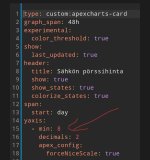
Minulla tuo näyttää hintaa jossa siirrot ja verot yms. mukana. Laitoin kokeeksi alle y-akselin auto- adetuksen sijaan minimiksi numeron 8 ja heti tuli käppyrät minulla näkyviin.
Screenshot_20230929_073548_Home Assistant.jpg
 
Jos muuttaa in_chart: true tuossa edellisessä minkä laitoin, niin alkaa piirtämään, mutta hintapalkit eivät piirry oikein. Negatiivisista arvoista tässä varmaan on kyse, eilen oli ok kun hinnat olivat plussan puolella. En nyt äkkiseltään keksi miten nuo palkit saisi vielä piirtymään oikein.
Screenshot 2023-09-29 074145.png
 

Samppa

Ylläpitäjä
Ylläpidon jäsen
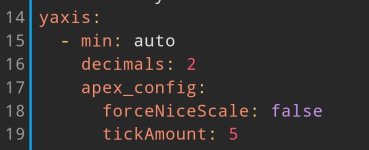
Liittyen vielä tuohon viestiini yllä. Jos jättää min kohtaan asetuksen auto ja vähän alempaa laittaa force nice scale kohtaan false, niin toimii myös, mutta skaalaus ei tosiaan ole ihan niin nice
 
Tällä koodilla sain toimimaan. Katsotaanpa kuin käy.
Tämä vähän erilainen muutenkin tuohon orginaaliin verrattuna, näyttää rankin ja yaxis id:t määritetty. Voi olla vähän jotain siivottavaa, mutta vaikuttaisi pelaavan nyt.

YAML:
type: custom:apexcharts-card
update_interval: 5min
graph_span: 48h
experimental:
  color_threshold: true
show:
  last_updated: true
header:
  show: true
  show_states: true
  colorize_states: true
span:
  start: day
yaxis:
  - id: first
    min: auto
    decimals: 2
    apex_config:
      forceNiceScale: true
  - id: second
    min: auto
    opposite: true
    decimals: 0
    show: false
now:
  show: true
  label: Now
series:
  - entity: sensor.shf_electricity_price_now
    yaxis_id: first
    name: Average Price
    unit: c/kWh
    show:
      in_header: false
      extremas: false
    type: line
    color: lime
    float_precision: 2
    stroke_width: 1
    data_generator: >
      return [[start, entity.attributes.today_avg*100], [moment(end).subtract(1,
      'days'), entity.attributes.today_avg*100], []];
  - entity: sensor.shf_electricity_price_now
    yaxis_id: first
    show:
      in_header: false
      extremas: true
      legend_value: false
    type: column
    color: lightgray
    float_precision: 2
    unit: c/kWh
    data_generator: |
      let res = [];
      for (const [key, value] of Object.entries(entity.attributes.data)) {
          let d = new Date(value.DateTime).getTime();
          let p = parseFloat(value.PriceWithTax * 100);
          res.push([d, p]);
      }
      return res.sort((a, b) => { return a[0] - b[0] });
    color_threshold:
      - value: 0
        color: 368f39
      - value: 10
        color: a3b34d
      - value: 20
        color: ffd57e
      - value: 30
        color: f18c56
      - value: 40
        color: de425b
  - entity: sensor.shf_electricity_price_now
    yaxis_id: second
    show:
      in_header: true
      header_color_threshold: true
      in_chart: false
    type: line
    color: lightgray
    float_precision: 2
    stroke_width: 0
    transform: return x*100
    unit: c/kWh
    color_threshold:
      - value: 0
        color: 368f39
      - value: 10
        color: a3b34d
      - value: 20
        color: ffd57e
      - value: 30
        color: f18c56
      - value: 40
        color: de425b
  - entity: sensor.shf_rank_now
    yaxis_id: second
    show:
      in_chart: false
 
Viimeksi muokattu:

tk-

Aktiivinen jäsen
Liittyen vielä tuohon viestiini yllä. Jos jättää min kohtaan asetuksen auto ja vähän alempaa laittaa force nice scale kohtaan false, niin toimii myös, mutta skaalaus ei tosiaan ole ihan niin nice
Min voisi olla myös ~0, niin sitten se pysyy nollassa paitsi silloin kun on arvoja myös sen alle.

Maksimissa voi käyttää tuota samaa tyyliä, esimerkiksi ~10 jos haluaa graafin aina skaalatuksi välille 0-10 jos arvot on sen sisällä ja sitten se skaalautuu uusiksi vain jos on tuon ulkopuolella olevia arvoja.

Tuolla tavoin ainakin itsellä toimii ongelmitta skaalaus myös forcenicescalen kanssa.
 

Samppa

Ylläpitäjä
Ylläpidon jäsen
Juu vakioarvoilla toimii. Kokeilin myös lisätä alla olevan tickamount parametrin. Nicescale false ja tickamount 5 toimii. Näkymä lähelle samaa kuin nicescalen kanssa.
Screenshot_20230929_082509_Home Assistant.jpg
 

hemaris

Aktiivinen jäsen
Tällä koodilla sain toimimaan. Katsotaanpa kuin käy.
Tämä vähän erilainen muutenkin tuohon orginaaliin verrattuna, näyttää rankin ja yaxis id:t määritetty. Voi olla vähän jotain siivottavaa, mutta vaikuttaisi pelaavan nyt.
Jaha,

täytyy itsekin raportoida että myöskään minulla ei tuo aiemmin mainostamani koodi toiminut tänä aamuna. Pari päivää oli OK, mutta ei enää tänään. Täytyy tutkia kun kerkeän ja kokeilla myös tuota Ninnannunnan koodia. Erikoista että tällä tavalla temppuilee...
 

tk-

Aktiivinen jäsen
Juu vakioarvoilla toimii. Kokeilin myös lisätä alla olevan tickamount parametrin. Nicescale false ja tickamount 5 toimii. Näkymä lähelle samaa kuin nicescalen kanssa.
katso liitettä 88729
Ei vakioarvoilla, vaan tuon aaltoviivan kanssa. Se tulkitaan niin, että jos menee sen ylä- tai alapuolelle niin arvoa skaalataan. Eli on tuollainen fixed auto -tyyppinen.
 

Samppa

Ylläpitäjä
Ylläpidon jäsen
Aa ok. Kokeilin tuotakin. Minulla nyt käyrällä minimihinta 8,41 ja max 9.36. Kun laitoin min ~8.5 ja max ~9.5, niin skaalasi ihan oikein alaspäin alle tuon. Yläpää taas meni jostain syystä jonnekin 9.9 pintaan vaikka max arvo alle tuon 9.5. Kun laitoin max parametriin ~9, niin käyrä taas hävisi kokonaan. Jos laitan ~30, niin skaala muuttuu heti sinne. Jätän nyt toistaiseksi vain tuon nicescalen pois ja rajat saa olla autolla. tickAmount 5 lisänä vähän rajaamassa y akselilla näkyviä hintalukemia
 

timop

Aktiivinen jäsen
Eli vika on jossain muussa osassa sitä korttia kun nuo varsinaiset hinnat. Siinähän oli myös se keskiarvo mikä täytynee varmaan perkaista josko saa sen jumittamaan.
tuossahan on semmonen outous, että kun se kortti missä on pelkkä hinta niin on tyhjä. mutta samaan aikaan kortti missä hinta + rank niin piirtää ihan nätisti.
hinta kortti
YAML:
type: custom:apexcharts-card
graph_span: 48h
apex_config:
  chart:
    height: 300px
experimental:
  color_threshold: true
show:
  last_updated: true
header:
  title: Pörssisähkö hinta (c/kWh) ilman siirtoa ja marginaalia
  show: true
  show_states: true
  colorize_states: true
span:
  start: day
yaxis:
  - min: auto
    decimals: 2
    apex_config:
      forceNiceScale: true
now:
  show: true
  label: ''
series:
  - entity: sensor.shf_electricity_price
    show:
      in_header: false
      extremas: true
    type: column
    color: lightgray
    float_precision: 2
    data_generator: |
      return entity.attributes.data.map((d, index) => {
        return [new Date(d["DateTime"]).getTime(), entity.attributes.data[index]["PriceWithTax"]*100];
      });
    color_threshold:
      - value: 0
        color: 368f39
      - value: 10
        color: a3b34d
      - value: 20
        color: ffd57e
      - value: 30
        color: f18c56
      - value: 40
        color: de425b
  - entity: sensor.shf_electricity_price
    show:
      in_header: true
      header_color_threshold: true
      in_chart: false
    type: line
    color: lightgray
    float_precision: 2
    stroke_width: 0
    data_generator: |
      var currentTime = new Date().setMinutes(0, 0, 0);
      let currentPrice = entity.attributes.data.find(d => {
        return new Date(d["DateTime"]).getTime() === currentTime;
      })["PriceWithTax"];
      return entity.attributes.data.map((d, index) => {
        return [new Date(d["DateTime"]).getTime(), currentPrice*100];
      });
    color_threshold:
      - value: 0
        color: 368f39
      - value: 10
        color: a3b34d
      - value: 20
        color: ffd57e
      - value: 30
        color: f18c56
      - value: 40
        color: de425b

hinta+rank kortti
YAML:
square: false
columns: 1
type: grid
cards:
  - type: custom:apexcharts-card
    graph_span: 48h
    apex_config:
      legend:
        show: false
    experimental:
      color_threshold: true
    show:
      last_updated: true
    header:
      title: pörssisähkö hinta (c/kWh) ja rank
      show: true
      show_states: true
      colorize_states: true
    span:
      start: day
    yaxis:
      - id: first
        min: auto
        decimals: 0
        apex_config:
          forceNiceScale: true
      - id: second
        min: auto
        opposite: true
        decimals: 0
        apex_config: null
    now:
      show: true
      label: ''
    series:
      - entity: sensor.shf_electricity_price
        yaxis_id: first
        show:
          in_header: false
          extremas: true
        type: column
        float_precision: 2
        stroke_width: 6
        data_generator: |
          return entity.attributes.data.map((d, index) => {
            return [new Date(d["DateTime"]).getTime(), entity.attributes.data[index]["PriceWithTax"]*100];
          });
        color_threshold:
          - value: 0
            color: 368f39
          - value: 10
            color: a3b34d
          - value: 20
            color: ffd57e
          - value: 30
            color: f18c56
          - value: 40
            color: de425b
      - entity: sensor.shf_electricity_price
        yaxis_id: first
        show:
          in_header: true
          header_color_threshold: true
          in_chart: false
        type: line
        float_precision: 2
        stroke_width: 0
        data_generator: |
          var currentTime = new Date().setMinutes(0, 0, 0);
          let currentPrice = entity.attributes.data.find(d => {
            return new Date(d["DateTime"]).getTime() === currentTime;
          })["PriceWithTax"];
          return entity.attributes.data.map((d, index) => {
            return [new Date(d["DateTime"]).getTime(), currentPrice*100];
          });
        color_threshold:
          - value: 0
            color: 368f39
          - value: 10
            color: a3b34d
          - value: 20
            color: ffd57e
          - value: 30
            color: f18c56
          - value: 40
            color: de425b
      - entity: sensor.shf_rank_now
        yaxis_id: second
        type: line
        stroke_width: 0
        color: blue
        extend_to: now
      - entity: sensor.shf_electricity_price
        yaxis_id: second
        show:
          in_header: false
          extremas: false
          legend_value: false
        type: line
        color: blue
        stroke_width: 2
        float_precision: 2
        data_generator: |
          return entity.attributes.data.map((d, index) => {
            return [new Date(d["DateTime"]).getTime(), entity.attributes.data[index]["Rank"]];
          });
 

Pretor

Aktiivinen jäsen
tuossahan on semmonen outous, että kun se kortti missä on pelkkä hinta niin on tyhjä. mutta samaan aikaan kortti missä hinta + rank niin piirtää ihan nätisti.
hinta kortti
YAML:
type: custom:apexcharts-card
graph_span: 48h
apex_config:
  chart:
    height: 300px
experimental:
  color_threshold: true
show:
  last_updated: true
header:
  title: Pörssisähkö hinta (c/kWh) ilman siirtoa ja marginaalia
  show: true
  show_states: true
  colorize_states: true
span:
  start: day
yaxis:
  - min: auto
    decimals: 2
    apex_config:
      forceNiceScale: true
now:
  show: true
  label: ''
series:
  - entity: sensor.shf_electricity_price
    show:
      in_header: false
      extremas: true
    type: column
    color: lightgray
    float_precision: 2
    data_generator: |
      return entity.attributes.data.map((d, index) => {
        return [new Date(d["DateTime"]).getTime(), entity.attributes.data[index]["PriceWithTax"]*100];
      });
    color_threshold:
      - value: 0
        color: 368f39
      - value: 10
        color: a3b34d
      - value: 20
        color: ffd57e
      - value: 30
        color: f18c56
      - value: 40
        color: de425b
  - entity: sensor.shf_electricity_price
    show:
      in_header: true
      header_color_threshold: true
      in_chart: false
    type: line
    color: lightgray
    float_precision: 2
    stroke_width: 0
    data_generator: |
      var currentTime = new Date().setMinutes(0, 0, 0);
      let currentPrice = entity.attributes.data.find(d => {
        return new Date(d["DateTime"]).getTime() === currentTime;
      })["PriceWithTax"];
      return entity.attributes.data.map((d, index) => {
        return [new Date(d["DateTime"]).getTime(), currentPrice*100];
      });
    color_threshold:
      - value: 0
        color: 368f39
      - value: 10
        color: a3b34d
      - value: 20
        color: ffd57e
      - value: 30
        color: f18c56
      - value: 40
        color: de425b

hinta+rank kortti
YAML:
square: false
columns: 1
type: grid
cards:
  - type: custom:apexcharts-card
    graph_span: 48h
    apex_config:
      legend:
        show: false
    experimental:
      color_threshold: true
    show:
      last_updated: true
    header:
      title: pörssisähkö hinta (c/kWh) ja rank
      show: true
      show_states: true
      colorize_states: true
    span:
      start: day
    yaxis:
      - id: first
        min: auto
        decimals: 0
        apex_config:
          forceNiceScale: true
      - id: second
        min: auto
        opposite: true
        decimals: 0
        apex_config: null
    now:
      show: true
      label: ''
    series:
      - entity: sensor.shf_electricity_price
        yaxis_id: first
        show:
          in_header: false
          extremas: true
        type: column
        float_precision: 2
        stroke_width: 6
        data_generator: |
          return entity.attributes.data.map((d, index) => {
            return [new Date(d["DateTime"]).getTime(), entity.attributes.data[index]["PriceWithTax"]*100];
          });
        color_threshold:
          - value: 0
            color: 368f39
          - value: 10
            color: a3b34d
          - value: 20
            color: ffd57e
          - value: 30
            color: f18c56
          - value: 40
            color: de425b
      - entity: sensor.shf_electricity_price
        yaxis_id: first
        show:
          in_header: true
          header_color_threshold: true
          in_chart: false
        type: line
        float_precision: 2
        stroke_width: 0
        data_generator: |
          var currentTime = new Date().setMinutes(0, 0, 0);
          let currentPrice = entity.attributes.data.find(d => {
            return new Date(d["DateTime"]).getTime() === currentTime;
          })["PriceWithTax"];
          return entity.attributes.data.map((d, index) => {
            return [new Date(d["DateTime"]).getTime(), currentPrice*100];
          });
        color_threshold:
          - value: 0
            color: 368f39
          - value: 10
            color: a3b34d
          - value: 20
            color: ffd57e
          - value: 30
            color: f18c56
          - value: 40
            color: de425b
      - entity: sensor.shf_rank_now
        yaxis_id: second
        type: line
        stroke_width: 0
        color: blue
        extend_to: now
      - entity: sensor.shf_electricity_price
        yaxis_id: second
        show:
          in_header: false
          extremas: false
          legend_value: false
        type: line
        color: blue
        stroke_width: 2
        float_precision: 2
        data_generator: |
          return entity.attributes.data.map((d, index) => {
            return [new Date(d["DateTime"]).getTime(), entity.attributes.data[index]["Rank"]];
          });
Huomasin vähän vastaavan.
Eli mulla on tuossa kortilla perässä entitynä slideri max sallitulle hinnalle:
YAML:
  - entity: input_number.shf_price_slider2
    transform: return x * 1;
    name: Max sallittu hinta veroineen
    stroke_width: 1
    unit: c/kWh
    show:
      in_header: true
      extremas: true
    type: line
    color: red
    group_by:
      func: last
      duration: 60m
Jos tuon slider-entityn poistaa, niin kortti näyttää tyhjää. Mulla on siis kaksi korttia, pelkkä sähkön spot-hinta ja toinen kortti jolla näkyy siirrot + tuo slider ja tänään aamulla aloin myös ihmettelemään miksi toinen kortti on tyhjä, mutta toisessa näkyy palkit ihan normaalisti.

Tällä koodilla sain toimimaan. Katsotaanpa kuin käy.
Tämä vähän erilainen muutenkin tuohon orginaaliin verrattuna, näyttää rankin ja yaxis id:t määritetty. Voi olla vähän jotain siivottavaa, mutta vaikuttaisi pelaavan nyt.

YAML:
type: custom:apexcharts-card
update_interval: 5min
graph_span: 48h
experimental:
  color_threshold: true
show:
  last_updated: true
header:
  show: true
  show_states: true
  colorize_states: true
span:
  start: day
yaxis:
  - id: first
    min: auto
    decimals: 2
    apex_config:
      forceNiceScale: true
  - id: second
    min: auto
    opposite: true
    decimals: 0
    show: false
now:
  show: true
  label: Now
series:
  - entity: sensor.shf_electricity_price_now
    yaxis_id: first
    name: Average Price
    unit: c/kWh
    show:
      in_header: false
      extremas: false
    type: line
    color: lime
    float_precision: 2
    stroke_width: 1
    data_generator: >
      return [[start, entity.attributes.today_avg*100], [moment(end).subtract(1,
      'days'), entity.attributes.today_avg*100], []];
  - entity: sensor.shf_electricity_price_now
    yaxis_id: first
    show:
      in_header: false
      extremas: true
      legend_value: false
    type: column
    color: lightgray
    float_precision: 2
    unit: c/kWh
    data_generator: |
      let res = [];
      for (const [key, value] of Object.entries(entity.attributes.data)) {
          let d = new Date(value.DateTime).getTime();
          let p = parseFloat(value.PriceWithTax * 100);
          res.push([d, p]);
      }
      return res.sort((a, b) => { return a[0] - b[0] });
    color_threshold:
      - value: 0
        color: 368f39
      - value: 10
        color: a3b34d
      - value: 20
        color: ffd57e
      - value: 30
        color: f18c56
      - value: 40
        color: de425b
  - entity: sensor.shf_electricity_price_now
    yaxis_id: second
    show:
      in_header: true
      header_color_threshold: true
      in_chart: false
    type: line
    color: lightgray
    float_precision: 2
    stroke_width: 0
    transform: return x*100
    unit: c/kWh
    color_threshold:
      - value: 0
        color: 368f39
      - value: 10
        color: a3b34d
      - value: 20
        color: ffd57e
      - value: 30
        color: f18c56
      - value: 40
        color: de425b
  - entity: sensor.shf_rank_now
    yaxis_id: second
    show:
      in_chart: false
Tällä ainakin näytti toimivan.
 
Viimeksi muokattu:
Jos joku nyt sattui ottamaan tuon muokkaamani apex-kortin käyttöön joka näyttää alkuperäisen lisäksi rankin, niin siivoilin vähän sitä.

YAML:
type: custom:apexcharts-card
update_interval: 5min
graph_span: 48h
experimental:
  color_threshold: true
show:
  last_updated: true
header:
  show: true
  show_states: true
  colorize_states: true
span:
  start: day
apex_config:
  forceNiceScale: true
  legend:
    show: false
yaxis:
  - id: first
    min: auto
    decimals: 2
  - id: second
    min: auto
    opposite: true
    decimals: 0
    show: false
now:
  show: true
  label: Now
series:
  - entity: sensor.shf_electricity_price_now
    yaxis_id: first
    name: Average Price
    unit: c/kWh
    show:
      in_header: false
      extremas: false
      legend_value: true
    type: line
    color: lime
    float_precision: 2
    stroke_width: 1
    data_generator: >
      return [[start, entity.attributes.today_avg*100], [moment(end).subtract(1,
      'days'), entity.attributes.today_avg*100], []];
  - entity: sensor.shf_electricity_price_now
    yaxis_id: first
    show:
      in_header: false
      extremas: true
      legend_value: true
    type: column
    color: lightgray
    float_precision: 2
    unit: c/kWh
    data_generator: |
      let res = [];
      for (const [key, value] of Object.entries(entity.attributes.data)) {
          let d = new Date(value.DateTime).getTime();
          let p = parseFloat(value.PriceWithTax * 100);
          res.push([d, p]);
      }
      return res.sort((a, b) => { return a[0] - b[0] });
    color_threshold:
      - value: 0
        color: 368f39
      - value: 10
        color: a3b34d
      - value: 20
        color: ffd57e
      - value: 30
        color: f18c56
      - value: 40
        color: de425b
  - entity: sensor.shf_electricity_price_now
    name: ' '
    yaxis_id: second
    show:
      in_header: true
      header_color_threshold: true
      in_chart: false
    type: line
    color: lightgray
    float_precision: 2
    stroke_width: 0
    transform: return x*100
    unit: c/kWh
    color_threshold:
      - value: 0
        color: 368f39
      - value: 10
        color: a3b34d
      - value: 20
        color: ffd57e
      - value: 30
        color: f18c56
      - value: 40
        color: de425b
  - entity: sensor.shf_rank_now
    name: ' '
    yaxis_id: second
    show:
      in_chart: false
 

Gilean

Jäsen
On tämä kyllä mystistä, itsellä on tämän Temezin koodin mukainen kortti jossa välillä on ongelmia (tänä aamuna taas ei), mutta jonkin aikaa ollut nyt myös heebo1974:n kaksi erillistä korttia joissa en ole ongelmia huomannut. Kokeilin nyt myös tuota Ninnannunnan koodia yhdelle kortille, pitänee taas seurata. Yksi itse apexchartsin ominaisuus kyllä ärsyttää suunnattomasti:
1696136235111.png

Eli kaksi tooltippiä ja etenkin tuo isompi keskellä graafeja. On jo tietokoneellakin vaikeaa, kännykällä sitten lähes mahdotonta jos haluaa katsoa jonkun tietyn tunnin arvon tuolta käppyrältä kun tooltipit ovat edessä ja hyppivät koko ajan. Ilmeisesti tuo lähes nollahinta sähkölle (ja näin ollen lähes olemattomat palkit) aiheuttavat tämän, mutta siirtoakaan en haluaisi laittaa tuohon koska sehän on aina sama. Tietty jos saisi tuohon apex-chartiin siirron "pohjalle" ja eri värillä sähkön hinnan sitten päälle vähän tämän kaavion tyyliin niin voisi olla ok, en vaan tiedä miten:
1696136547376.png

Tietysti en sitten tiedä miten tuo toimisi silloin kun sähkön hinta on miinuksella, sekin olisi jotenkin hyvä nähdä erikseen :)
 
Tuohon mun conffiin kun muokkaa seuravanlaisen apex configin, niin katoaa toinen turha tooltippi. Hyvä huomio, nyppinyt itseäkin nuo tuplalootat.

YAML:
apex_config:
  forceNiceScale: true
  legend:
    show: false
  xaxis:
    tooltip:
      enabled: false
 

Sukke

Aktiivinen jäsen
Tuohon mun conffiin kun muokkaa seuravanlaisen apex configin, niin katoaa toinen turha tooltippi. Hyvä huomio, nyppinyt itseäkin nuo tuplalootat.

YAML:
apex_config:
  forceNiceScale: true
  legend:
    show: false
  xaxis:
    tooltip:
      enabled: false

Tämä olikin hyvä vinkki, kiitos. En ole hoksannut edes etsiä ratkaisua tähän.
 

Temez

Aktiivinen jäsen
Menee
Tuohon mun conffiin kun muokkaa seuravanlaisen apex configin, niin katoaa toinen turha tooltippi.
Menee kyllä itselläkin heti käyttöön, kiitos!

Olen ollut nyt reissun päällä, joten en ole ehtinyt kunnolla lueskella foorumia. Kuvaajaongelman juurisyy ei kai ole vielä kenellekään auennut?
 
Menee

Menee kyllä itselläkin heti käyttöön, kiitos!

Olen ollut nyt reissun päällä, joten en ole ehtinyt kunnolla lueskella foorumia. Kuvaajaongelman juurisyy ei kai ole vielä kenellekään auennut?
Minulla poistui ongelma laittamalla toiselle sensor.shf_electricity_price_now sensorille yaxis opposite: true. Ilmeisesti jotenkin negatiiviset hinnat häiriköivät muuten.
 

honksu

Tulokas
Minulla ei ole ollut kuvaajan kanssa ongelmia, mutta muutin heti aluksi "0" tilalle "auto" kuvaajan koodiin.

yaxis:
- min: auto
decimals: 2
apex_config:
forceNiceScale: true

Itselläni taas "Now"-palkki tuntuu edistävän mahdollisesti noin puoli tuntia. Tämän hetkinen hinta näyttää kyllä oikein eli kuvaajassa on vika. Yritän katsoa jonakin päivänä, kun kello lähestyy seuraavaa tuntia.

0.1.11 käyttöönotossa, mutta päivitän 0.2 ennen kuin jatkan käyttöönottoa.
 
Syynä edistämiselle on type: column, Jos vaihtaa tilalle esim curve: stepline, niin näyttää ehkä vähän paremmin oikeaa aikaa.
 
Viimeksi muokattu:

Sukke

Aktiivinen jäsen
Syynä edistämiselle on type: column, Jos vaihtaa tilalle esim curve: stepline, niin näyttää ehkä vähän paremmin oikeaa aikaa.

Muistelen käyttäneeni myös offset-asetusta sarjoille, jotka eivät istu nykyhetken kanssa hyvin yksiin. Nykyhetki siirtyy aikajanalla jatkuvasti eli ei etene hyppäyksittäin - tämän kanssa on joutunut hieman kikkailemaan.

Yritän illalla kaivaa esimerkin tuosta offsetista. Sillä saa siis liikuteltua esim. palkkeja suhteessa aikaan eli hienosäädettyä näkymää sarjakohtaisesti.
 
Laitetaanpas tähänkin ketjuun oma malli apexchartista.

Halusin ettei ilmainen pörssisähkö aiheuta visuaalista harhaa että sähkö olisi ostettaessa kaikkine kuluineen ilmaista.

1696255434283.png

  • Sisältää 5 sarjaa (entityä), joista
    • 2 kpl Piirretään kuvaajaan
      • Spot-hinta ilman veroja (hinta jonka saa myyntisähköstä)
      • Oma ostohinta, jossa omat siirtomaksut ja sähkövero (n. 8 senttiä / kwh + alvillinen pörssihinta)
    • 3 kpl Lasketaan mutta ei piirretä, lisätään headeriin
      • Pörssihinta 0% nyt (mitä saan myyntisähköstä nyt)
      • pörssihinta 24% nyt (Yleisin ilmoitettu hinta)
      • Ostosähkön hinta nyt (omat siirtokulut + alvillinen pörssihinta)
  • Ylärivillä ostosähkön hinta on punaisella ja myyntisähkön hinta vihreällä
Tätä saapi muokkailla. Toimii apexchart 2.04 versiolla ainakin.
Koodi:
type: custom:apexcharts-card
graph_span: 48h
apex_config:
  stroke:
    width: 2
experimental:
  color_threshold: true
show:
  last_updated: true
header:
  title: sähkön osto vs myynti
  show: true
  show_states: true
  colorize_states: true
span:
  start: day
yaxis:
  - min: -1
    decimals: 2
    apex_config:
      forceNiceScale: true
now:
  show: true
  label: Now
series:
  - entity: sensor.shf_electricity_price
    name: ostohinta veroilla
    show:
      in_header: false
      extremas: false
      legend_value: false
      header_color_threshold: true
      in_chart: true
      name_in_header: false
      datalabels: false
    type: line
    curve: stepline
    color: eecccc
    float_precision: 2
    data_generator: |
      // Päivitä omat siirtomaksut
      const siirtomaksu = 4.821
      const energiavero_luokka_1 = 2.778
      const huoltovarmuusmaksu = 0.01612
      const siirtokulu = siirtomaksu + energiavero_luokka_1 + huoltovarmuusmaksu
      // MUOKATTAVA OSUUS LOPPUU

      return entity.attributes.data.map((d, index) => {
        if (!d) {
          console.error("DEBUGGING: Missing data at index:", index);
          return [null, null];
        }
        let timestamp = new Date(d["DateTime"]).getTime();
        let priceWithTax = d["PriceWithTax"];
    
        let price;
        if (priceWithTax !== undefined && priceWithTax !== null) {
          price = priceWithTax * 100 + siirtokulu;
        } else {
          price = null;
        }
                
        return [timestamp, price];
      });
  - entity: sensor.shf_electricity_price
    name: pörssihinta alv 0%
    show:
      in_header: false
      extremas: false
      legend_value: false
      header_color_threshold: true
      in_chart: true
      name_in_header: false
      datalabels: false
    type: column
    curve: stepline
    color: darkgreen
    float_precision: 2
    data_generator: |
      return entity.attributes.data.map((d, index) => {
        let timestamp = new Date(d["DateTime"]).getTime();
        let price = entity.attributes.data[index]["PriceNoTax"]*100;
    
        // Debugging
        if (index === entity.attributes.data.length - 1) {
          console.log("Last value for myyntihinta alv 0%:", price);
        }
    
        return [timestamp, price];
      });
    color_threshold:
      - value: 0
        color: 368f39
      - value: 1
        color: a3b34d
      - value: 20
        color: ffd57e
      - value: 30
        color: f18c56
      - value: 40
        color: de425b
  - entity: sensor.shf_electricity_price
    name: Pörssihinta alv 0%
    show:
      in_header: true
      in_chart: false
    color: green
    float_precision: 2
    data_generator: |
      let currentTimestamp = new Date().setMinutes(0, 0, 0);
      let currentValue = entity.attributes.data.find(d => {
        return new Date(d["DateTime"]).getTime() === currentTimestamp;
      });
      if (currentValue) {
        return [[currentTimestamp, currentValue["PriceNoTax"]*100]];
      } else {
        return [];  // Return an empty array if no matching data point is found
      }
  - entity: sensor.shf_electricity_price
    name: Pörssihinta alv 24%
    show:
      in_header: true
      in_chart: false
    color: violet
    float_precision: 2
    data_generator: |
      let currentTimestamp = new Date().setMinutes(0, 0, 0);
      let currentValue = entity.attributes.data.find(d => {
        return new Date(d["DateTime"]).getTime() === currentTimestamp;
      });
      if (currentValue) {
        return [[currentTimestamp, currentValue["PriceWithTax"]*100]];
      } else {
        return [];  // Return an empty array if no matching data point is found
      }       
  - entity: sensor.shf_electricity_price
    name: Sähkön + siirron osto
    show:
      in_header: true
      in_chart: false
    color: red
    float_precision: 2
    data_generator: |
      // Päivitä omat siirtomaksut
      const siirtomaksu = 4.821
      const energiavero_luokka_1 = 2.778
      const huoltovarmuusmaksu = 0.01612
      const siirtokulu = siirtomaksu + energiavero_luokka_1 + huoltovarmuusmaksu
      // MUOKATTAVA OSUUS LOPPUU

      let currentTimestamp = new Date().setMinutes(0, 0, 0);
      let currentValue = entity.attributes.data.find(d => {
        return new Date(d["DateTime"]).getTime() === currentTimestamp;
      });
      if (currentValue) {
        return [[currentTimestamp, currentValue["PriceWithTax"]*100+siirtokulu]];
      } else {
        return [];  // Return an empty array if no matching data point is found
      }
Koodi:
# Start pack for Spot Price control.
# Version 0.1.11
#
# This is a copy-paste approach in order to get Finnish Electricity Spot Prices to Home Assistant.
# Initial implementation by Temez but feel free to further develop this.
# Special thanks to Mikki who has created the API where data is fetched. For more information see https://spot-hinta.fi/
# This is just a loader for the data which is stored in sensor attributes. Template sensors present actual data.
sensor:
  - platform: rest
    resource: https://api.spot-hinta.fi/TodayAndDayForward?HomeAssistant=true
    name: SHF Electricity price
    unique_id: shf_electricity_price
    scan_interval: 604800 # 7 days, update logic is in the automation
    value_template: 'OK' # static value as sensor is not updated regularly
    json_attributes:
      - "data"
  - platform: statistics
    name: "SHF Average Price 7 Days"
    entity_id: sensor.shf_electricity_price_now
    state_characteristic: mean
    unique_id: shf_average_7days
    precision: 4
    max_age:
      days: 7
template:
  - sensor:
    - name: SHF Idx # Helper for other sensors to get correct price/rank from array
      unique_id: shf_helper_idx
      state: '{{ 0 if state_attr("sensor.shf_electricity_price_now", "data")[0]["DateTime"][8:10] | int == now().day else 24 }}'
  - sensor:
    - name: SHF Rank now
      unique_id: shf_electricity_rank_now
      unit_of_measurement: Rank
      state: '{{ state_attr("sensor.shf_electricity_price_now", "data")[states("sensor.shf_idx")|int+now().hour]["Rank"] }}'
  - sensor:
    - name: SHF Electricity price now
      unique_id: shf_electricity_price_now
      unit_of_measurement: "€/kWh"
      device_class: monetary
      state: '{{ state_attr("sensor.shf_electricity_price_now", "today_prices")[now().hour] | default(none) }}'
      attributes:
        data: '{{ state_attr("sensor.shf_electricity_price", "data") if  state_attr("sensor.shf_electricity_price", "data") else state_attr("sensor.shf_electricity_price_now", "data") }}'
        all_prices: >
                   {% set output = namespace(value=[]) %}
                   {% for value in (state_attr("sensor.shf_electricity_price_now", "data")) | map(attribute="PriceWithTax") | list %}
                     {% if ((loop.index - 1) % 24) >= state_attr("input_datetime.shf_price2_start", "hour") and ((loop.index - 1) % 24) < state_attr("input_datetime.shf_price2_stop", "hour") %}
                       {% set output.value = output.value + [ value + states('input_number.shf_price2_slider') | float] %}
                     {% else %}
                       {% set output.value = output.value + [ value + states('input_number.shf_price1_slider') | float] %}
                     {% endif %}
                   {% endfor %}
                   {{ output.value if output.value | length > 0 else state_attr("sensor.shf_electricity_price_now", "all_prices") }}
        today_prices: '{{ (state_attr("sensor.shf_electricity_price_now", "all_prices"))[states("sensor.shf_idx")|int:states("sensor.shf_idx")|int+24] | list }}'
        tomorrow_prices: '{{ (state_attr("sensor.shf_electricity_price_now", "all_prices"))[states("sensor.shf_idx")|int+24:] | list }}'
        today_min: '{{ state_attr("sensor.shf_electricity_price_now", "today_prices") | min }}'
        today_avg: '{{ state_attr("sensor.shf_electricity_price_now", "today_prices") | average | round(4) }}'
        today_max: '{{ state_attr("sensor.shf_electricity_price_now", "today_prices") | max }}'
        tomorrow_min: '{{ state_attr("sensor.shf_electricity_price_now", "tomorrow_prices") | min | default(none) }}'
        tomorrow_avg: '{{ state_attr("sensor.shf_electricity_price_now", "tomorrow_prices") | average(none) }}'
        tomorrow_max: '{{ state_attr("sensor.shf_electricity_price_now", "tomorrow_prices") | max | default(none) }}'
  - sensor:
    - name: SHF Average price today
      unique_id: shf_average_electricity_price
      unit_of_measurement: "€/kWh"
      device_class: monetary
      state: '{{ state_attr("sensor.shf_electricity_price_now", "today_avg") }}'
  - sensor:
    - name: SHF Average price next hours
      unique_id: shf_average_electricity_price_next_hours
      unit_of_measurement: "€/kWh"
      device_class: monetary
      state: >
            {% set idx = states("sensor.shf_idx")|int + now().hour + 1 %}
            {{ (state_attr("sensor.shf_electricity_price_now", "all_prices"))[idx:idx+states("input_number.shf_price_avg_slider")|int] | average | round(3) }}
  - sensor:
    - name: SHF Cheapest period start helper
      unique_id: shf_cheapest_period_start_helper
      state: >
            {% set output = namespace(value=[]) %}
            {% set data = state_attr("sensor.shf_electricity_price_now", "all_prices")[15:39] %}
            {% set hours = states("input_number.shf_cheapest_period_slider") | int%}
            {%- for inval in data[:min(-hours+1, -1)] -%}
              {% set temp = namespace(value=[]) %}
              {%- set j = loop.index -1 -%}
              {%- for i in range(hours) %}
                {%- set temp.value = temp.value + [data[j+i]] -%}
              {%- endfor -%}
              {%- set output.value = output.value + [temp.value | average] -%}
            {%- endfor -%}
            {% set data2 = state_attr("sensor.shf_electricity_price_now", "data")[15:39] %}
            {{ data2[output.value.index(output.value|min)]["DateTime"] }}
  - sensor:
    - name: SHF Control Factor 0-1
      unique_id: shf_control_factor_0-1
      unit_of_measurement: factor
      icon: mdi:gauge
      state: '{{ (states("sensor.shf_control_factor_1") | float /2 + 0.5) | default(none) }}'
      attributes:
        today_values: >
            {% set output = namespace(value=[]) %}
            {% for value in state_attr("sensor.shf_control_factor_1", "today_values") %}
                {% set output.value = output.value + [ value | float /2 + 0.5 ] %}
            {% endfor %}
            {{ output.value }}
  - sensor:
    - name: SHF Control Factor +-1
      unique_id: shf_control_factor_+-1
      unit_of_measurement: factor
      icon: mdi:gauge
      state: '{{ state_attr("sensor.shf_control_factor_1", "today_values")[now().hour] | default(none) }}'
      attributes:
        today_values: >
            {% set output = namespace(value=[]) %}
            {% for pnow in state_attr("sensor.shf_electricity_price_now", "today_prices") %}
              {% set pmin = state_attr("sensor.shf_electricity_price_now", "today_min") | float %}
              {% set pmax = state_attr("sensor.shf_electricity_price_now", "today_max") | float %}
              {% set value = max(min((2*(pmax - pnow) / (pmax - pmin)-1) * states('input_number.shf_control_function_factor') | float,1),-1) %}
              {% if states("input_select.shf_control_function" ) == "Linear"  %}
                {% set output.value = output.value + [value | round(2)] %}
              {% else %}
                {% set output.value = output.value + [sin(value*pi/2) | round(2)] %}
              {% endif %}
            {% endfor %}
            {{ output.value }}
  - binary_sensor:
    - name: "SHF Rank acceptable"
      unique_id: shf_rank_acceptable
      device_class: power
      state: >
            {% set value = state_attr("sensor.shf_electricity_price_now", "data")[states("sensor.shf_idx")|int+now().hour] %}
            {{ value["Rank"] <= states("input_number.shf_rank_slider") | int }}
  - binary_sensor:
    - name: "SHF Price acceptable"
      unique_id: shf_price_acceptable
      device_class: power
      state: >
            {% set value = state_attr("sensor.shf_electricity_price_now", "today_prices")[ now().hour ] %}
            {{ value <= states("input_number.shf_price_slider") | float }}
  - binary_sensor:
    - name: "SHF Price or Rank acceptable"
      unique_id: shf_price_or_rank_acceptable
      device_class: power
      state: '{{ is_state("binary_sensor.shf_rank_acceptable", "on") or is_state("binary_sensor.shf_price_acceptable", "on") }}'
input_select:
  shf_control_function:
    name: SHF Control Function
    options:
      - Linear
      - Sinusoidal
    icon: mdi:gauge
input_number:
  shf_control_function_factor:
    name: SHF Control Function Factor
    min: 1
    max: 3
    step: 0.01
    icon: mdi:gauge
    mode: box
  shf_rank_slider:
    name: SHF Max Rank allowed
    min: 1
    max: 24
    step: 1
  shf_price_slider:
    name: SHF Max Price allowed
    min: 0
    max: 4
    step: 0.01
    unit_of_measurement: €/kWh
    icon: mdi:cash-lock
    mode: box
  shf_price_avg_slider:
    name: SHF Average price hours
    min: 1
    max: 24
    step: 1
    unit_of_measurement: h
    icon: mdi:cash-clock
  shf_cheapest_period_slider:
    name: SHF Cheapest period hours
    min: 1
    max: 24
    step: 1
    unit_of_measurement: h
    icon: mdi:cash-clock
  shf_control_factor:
    name: SHF Control Factor
    min: 0
    max: 1000
    mode: box
  shf_price1_slider:
    name: SHF Price1
    min: 0
    max: 1000
    step: 0.0001
    unit_of_measurement: €
    icon: mdi:cash-lock
    mode: box
  shf_price2_slider:
    name: SHF Price2
    min: 0
    max: 1000
    step: 0.0001
    unit_of_measurement: €
    icon: mdi:cash-lock
    mode: box
input_datetime:
  shf_cheapest_period_start:
    name: SHF Cheapest period start
    has_date: true
    has_time: true
  shf_price2_start:
    name: SHF Price2 start
    has_date: false
    has_time: true
  shf_price2_stop:
    name: SHF Price2 stop
    has_date: false
    has_time: true
#Automation for automatic updating of the sensor. Tries to reduce API load.
automation:
  - id: '1669453089221'
    alias: Intelligent update of electricity price sensor
    description: 'Tries to fetch new data every 15mins after 14 oclock local time. Condition stops unnecessary requests. Random delay disperses API calls.'
    trigger:
    - platform: time_pattern
      minutes: /15
      alias: Trigger every 15mins
    condition:
    - condition: template
      value_template: '{{ is_state("sensor.shf_electricity_price", "unavailable") or is_state("sensor.shf_idx", "unavailable") or (now().hour >= 14 and (states("sensor.shf_idx") | int > 0 or state_attr("sensor.shf_electricity_price", "data") | length <= 24)) }}'
      alias: Check if there isn't data for tomorrow and time is after 14 o'clock
    action:
    - delay: '{{ range(60, 600)|random }}'
      alias: Random delay in order to reduce API congestion
    - service: homeassistant.update_entity
      alias: Trigger the update of the sensor
      target:
        entity_id: sensor.shf_electricity_price
    mode: single
  - id: '1669453089222'
    alias: "Copy cheapest period to datetime sensor"
    description: "Copies cheapest period start from helper to datetime sensor for easier automations."
    mode: single
    trigger:
      - platform: state
        entity_id:
          - sensor.shf_cheapest_period_start_helper
    condition: []
    action:
      - service: input_datetime.set_datetime
        data:
          datetime: '{{ states("sensor.shf_cheapest_period_start_helper")[:19] | replace("T", " ") }}'
        target:
          entity_id: input_datetime.shf_cheapest_period_start
 
Back
Ylös Bottom